Version: 2.17.1
Developer: OpenSea
 Verified App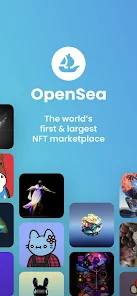
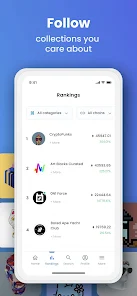
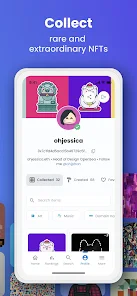
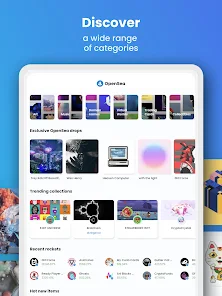
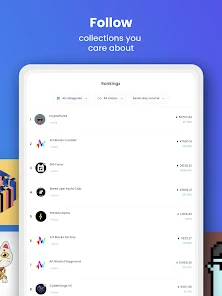
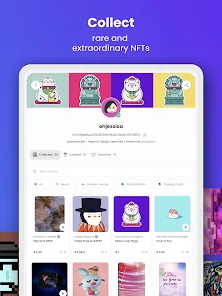
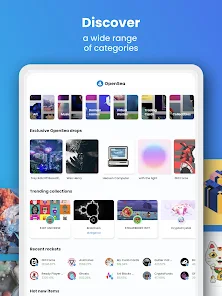
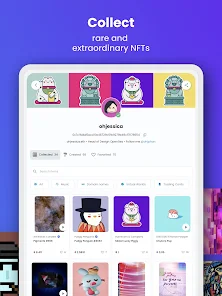
OpenSea is one of the largest and most popular NFT marketplaces, offering a wide array of features that cater to both creators and collectors. One of its standout features is the extensive range of digital assets available, including art, music, domain names, and virtual real estate. Users can easily browse through various categories, making it simple to discover new and trending NFTs.
Another key feature is the user-friendly interface, which allows for seamless navigation and interaction. Users can create, buy, and sell NFTs with just a few clicks. OpenSea also supports multiple blockchain networks, primarily Ethereum, which enhances its accessibility and versatility. Additionally, the platform provides robust tools for creators, including customizable royalty settings, enabling artists to earn a percentage from future sales of their work.
OpenSea also emphasizes community engagement through features like user profiles, collections, and social sharing options. This fosters a sense of belonging among users and encourages collaboration. Furthermore, the platform offers a secure environment with built-in wallet integration, ensuring that transactions are safe and efficient. Overall, OpenSea combines a rich feature set with a vibrant community, making it a go-to destination for NFT enthusiasts.
Using OpenSea is a straightforward process that allows users to dive into the world of NFTs with ease. To get started, users need to create an account on the platform. This typically involves connecting a digital wallet, such as MetaMask, which is essential for managing cryptocurrency and NFTs. Once the wallet is connected, users can explore the vast marketplace filled with various digital assets.
To purchase an NFT, users can browse through categories or use the search function to find specific items. When they find an NFT they wish to buy, they can either place a bid or purchase it outright, depending on the seller's preferences. For those looking to sell their own NFTs, the process is equally simple. Users can create their own listings by uploading their digital assets, setting prices, and defining royalty percentages.
OpenSea also provides tools for managing collections, allowing users to organize their NFTs effectively. Additionally, users can engage with the community by following other creators, sharing their collections, and participating in discussions. Overall, OpenSea offers a user-friendly experience that caters to both newcomers and seasoned NFT collectors, making it accessible for everyone interested in the digital asset space.
OpenSea, as a leading NFT marketplace, comes with its own set of advantages and disadvantages. One of the primary pros is its vast selection of NFTs, which provides users with countless options to explore and invest in. The platform's user-friendly interface makes it easy for both beginners and experienced users to navigate, enhancing the overall experience. Additionally, OpenSea supports multiple blockchain networks, which broadens its appeal and accessibility.
Another significant advantage is the robust tools available for creators, such as customizable royalty settings, which allow artists to earn from secondary sales. The community aspect of OpenSea is also a plus, as it fosters connections among users and encourages collaboration. However, there are some cons to consider. The platform can experience high transaction fees, especially during peak times on the Ethereum network, which may deter some users.
Moreover, the NFT market can be volatile, leading to fluctuating prices and potential losses for investors. There are also concerns regarding the environmental impact of blockchain technology, which some users may find troubling. Lastly, while OpenSea has implemented security measures, the risk of scams and fraudulent listings remains a concern in the NFT space. Balancing these pros and cons is essential for users looking to engage with OpenSea effectively.

 #N/A
#N/A 
 #N/A
#N/A Spotify Wrapped is an annual feature that summarizes your listening habits, including your most-played songs and artists of the year.
To create a playlist, click "Your Library," then "Playlists," and select "Create Playlist." Add songs by searching or browsing.
Yes, with a Spotify Premium subscription, you can download songs and playlists for offline listening.
Spotify offers a free tier with ads, as well as a Premium subscription that removes ads and adds features.
Click the three dots next to the song, select "Share," and choose your preferred sharing method, like social media or a link.








 Google Play
  App Store