Version: 3.2.5
Developer: Da Vinci Eye LLC
 Verified App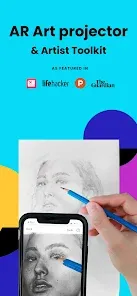
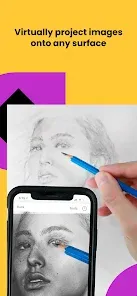
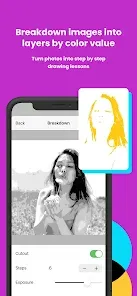
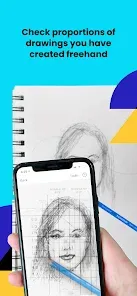
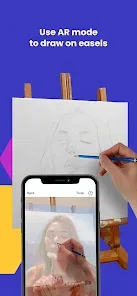
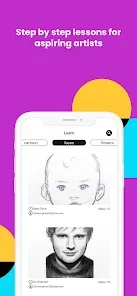
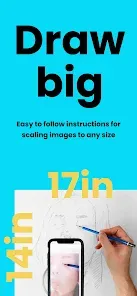
The "AR Art Projector: Da Vinci Eye" is an innovative application designed to assist artists in their creative process. One of its standout features is the augmented reality (AR) projection capability, which allows users to project images onto any surface, making it easier to trace or replicate artwork. This feature is particularly beneficial for beginners who may struggle with proportions and perspectives.
Another notable feature is the adjustable transparency of the projected image, enabling artists to see their original reference alongside their work. This dual view helps maintain accuracy while allowing for creative freedom. The app also includes a variety of tools for adjusting the size and orientation of the projected image, ensuring that it fits perfectly within the artist's workspace.
Additionally, the app supports multiple image formats, allowing users to import their own images or choose from a library of pre-loaded references. The user-friendly interface makes navigation simple, even for those who are not tech-savvy. Overall, the "AR Art Projector: Da Vinci Eye" combines technology with artistry, making it a valuable tool for both novice and experienced artists.
Using the "AR Art Projector: Da Vinci Eye" is a straightforward process that enhances the artistic experience. First, download and install the app on your compatible device. Once installed, open the app and select an image from your gallery or choose one from the app's library. The app will then allow you to adjust the image's size and orientation to fit your workspace.
Next, position your device so that the camera is facing the surface where you want to project the image. The app will use augmented reality to overlay the selected image onto the surface. You can adjust the transparency of the image to see your original reference while you work. This feature is particularly useful for tracing outlines or capturing details accurately.
As you begin to draw or paint, you can continuously adjust the projection settings to suit your needs. The app also allows you to save your settings for future use, making it easy to return to your projects. With these simple steps, artists can effectively utilize the "AR Art Projector: Da Vinci Eye" to enhance their creative process.
The "AR Art Projector: Da Vinci Eye" offers several advantages that make it appealing to artists. One of the primary benefits is its ability to simplify the drawing process, especially for beginners. The augmented reality feature allows users to project images directly onto their canvas, making it easier to achieve accurate proportions and details. Additionally, the app's user-friendly interface ensures that even those with limited technical skills can navigate it with ease.
However, there are some drawbacks to consider. One potential con is that the app requires a stable surface and adequate lighting for optimal performance, which may not always be available. Furthermore, while the app is designed to assist in the artistic process, some artists may feel that relying on technology could hinder their creative instincts. Lastly, the app may not be compatible with all devices, limiting its accessibility for some users.
In summary, while the "AR Art Projector: Da Vinci Eye" provides valuable tools for artists, it is essential to weigh its pros and cons to determine if it aligns with your artistic needs and preferences.

 #N/A
#N/A 
 #N/A
#N/A Spotify Wrapped is an annual feature that summarizes your listening habits, including your most-played songs and artists of the year.
To create a playlist, click "Your Library," then "Playlists," and select "Create Playlist." Add songs by searching or browsing.
Yes, with a Spotify Premium subscription, you can download songs and playlists for offline listening.
Spotify offers a free tier with ads, as well as a Premium subscription that removes ads and adds features.
Click the three dots next to the song, select "Share," and choose your preferred sharing method, like social media or a link.








 Google Play
  App Store