Version: 4.4.1
Developer: Assemblr
 Verified App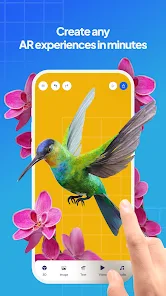
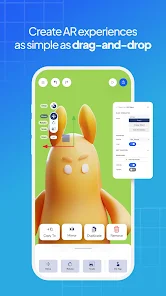
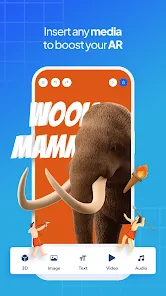
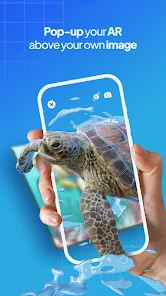

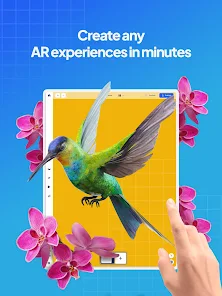
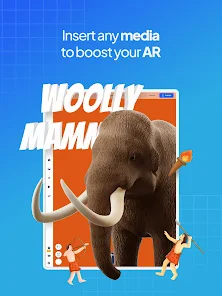
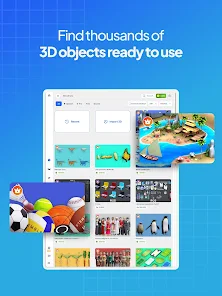
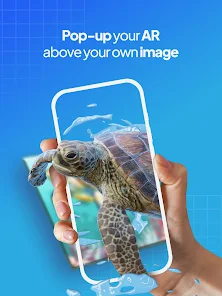
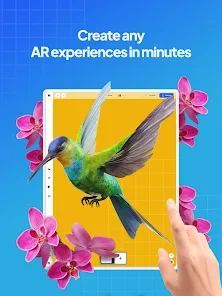
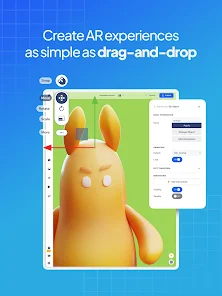
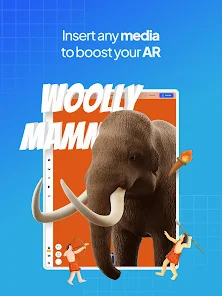
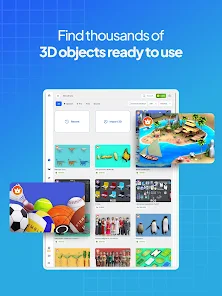
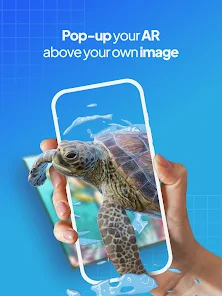

Assemblr Studio: Easy AR Maker is a user-friendly application designed to create augmented reality (AR) experiences without requiring extensive technical knowledge. One of its standout features is the drag-and-drop interface, which allows users to easily add 3D models, images, and animations to their projects. This intuitive design makes it accessible for both beginners and experienced creators.
Another notable feature is the extensive library of pre-made assets, including 3D models, animations, and sound effects, which users can incorporate into their AR scenes. This library significantly reduces the time and effort needed to create engaging content. Additionally, Assemblr Studio supports multi-platform sharing, enabling users to publish their AR creations across various devices and social media platforms seamlessly.
The app also includes collaboration tools, allowing multiple users to work on a project simultaneously, enhancing teamwork and creativity. Furthermore, the real-time preview feature lets users see their changes instantly, making the editing process more efficient. Overall, Assemblr Studio combines powerful features with ease of use, making it an excellent choice for anyone looking to explore the world of augmented reality.
Using Assemblr Studio: Easy AR Maker is a straightforward process that begins with downloading the app from your preferred app store. Once installed, users can create a new project by selecting a template or starting from scratch. The drag-and-drop interface allows you to easily add elements such as 3D models, images, and text to your AR scene.
To enhance your project, you can access the built-in library of assets, which includes a variety of 3D models and animations. Simply browse through the categories, select the desired asset, and drag it into your workspace. Users can also customize their creations by adjusting the size, rotation, and position of each element to achieve the desired look.
Once your AR scene is complete, you can preview it in real-time to see how it will appear in augmented reality. After finalizing your project, you can publish it to share with others or export it for use on different platforms. The app also offers collaboration features, allowing you to invite others to join your project, making it a great tool for teamwork and creativity.
Assemblr Studio: Easy AR Maker comes with several advantages that make it appealing to users. One of the primary pros is its user-friendly interface, which allows individuals with little to no experience in AR development to create engaging content easily. The extensive library of pre-made assets is another significant benefit, as it saves time and effort in the creation process. Additionally, the app supports multi-platform sharing, enabling users to reach a broader audience with their AR experiences.
However, there are some drawbacks to consider. One con is that while the app is feature-rich, advanced users may find it somewhat limiting in terms of customization and functionality compared to more complex AR development tools. Additionally, the performance of the app may vary depending on the device being used, which could affect the user experience. Lastly, some users may encounter a learning curve when first navigating the app, despite its overall ease of use.
In summary, Assemblr Studio: Easy AR Maker is an excellent tool for creating augmented reality experiences, particularly for beginners. While it has its limitations, the benefits it offers make it a worthwhile option for those looking to explore the world of AR.

 #N/A
#N/A 
 #N/A
#N/A Spotify Wrapped is an annual feature that summarizes your listening habits, including your most-played songs and artists of the year.
To create a playlist, click "Your Library," then "Playlists," and select "Create Playlist." Add songs by searching or browsing.
Yes, with a Spotify Premium subscription, you can download songs and playlists for offline listening.
Spotify offers a free tier with ads, as well as a Premium subscription that removes ads and adds features.
Click the three dots next to the song, select "Share," and choose your preferred sharing method, like social media or a link.










 Google Play
  App Store