Version: 6.4.2
Developer: Adobe Inc
 Verified App
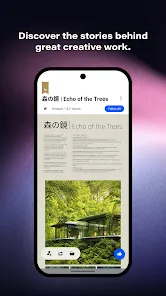
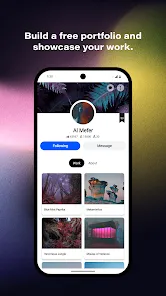
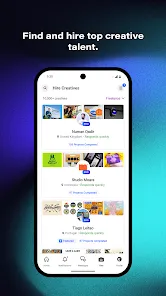
Behance is a platform designed for creative professionals to showcase their work and connect with others in the industry. One of its standout features is the ability to create a personalized portfolio that highlights your best projects, allowing you to present your skills and creativity effectively. Users can upload images, videos, and other media formats, making it easy to display a diverse range of work.
Another notable feature is the community aspect of Behance. Users can follow other creatives, appreciate their work, and leave comments, fostering a collaborative environment. The platform also offers project insights, enabling users to track the performance of their portfolios through analytics. Additionally, Behance integrates with Adobe Creative Cloud, allowing seamless uploads from Adobe applications, which is a significant advantage for designers and artists.
Furthermore, Behance provides job listings tailored to creative professionals, making it easier for users to find opportunities that match their skills. The platform also supports various creative fields, including graphic design, photography, illustration, and more, making it a versatile choice for anyone in the creative industry.
Using Behance is straightforward and user-friendly. To get started, you need to create an account, which can be done using your email or by linking your Adobe ID. Once registered, you can begin building your portfolio by uploading your projects. It’s essential to curate your work carefully, selecting pieces that best represent your skills and style.
After uploading your projects, you can enhance them with descriptions, tags, and categories to make them more discoverable. Engaging with the community is also crucial; follow other creatives, appreciate their work, and leave constructive feedback. This interaction can help you gain visibility and build connections within the creative community.
Additionally, take advantage of the job listings available on the platform. You can apply for positions directly through Behance, which can lead to exciting opportunities. Regularly updating your portfolio and engaging with the community will help you stay relevant and showcase your growth as a creative professional.
Behance offers several advantages for creative professionals. One of the primary pros is its extensive community, which allows users to connect with other creatives, share feedback, and gain inspiration. The platform's integration with Adobe Creative Cloud is another significant benefit, as it streamlines the process of uploading and managing projects. Additionally, the analytics feature provides valuable insights into how your work is being received, helping you refine your portfolio over time.
However, there are some drawbacks to consider. One con is that the platform can be highly competitive, making it challenging for new users to gain visibility among established creatives. Additionally, while the community aspect is beneficial, it can also lead to distractions if users spend too much time engaging with others instead of focusing on their work. Lastly, some users may find the interface a bit overwhelming at first, especially if they are not familiar with online portfolio platforms.
In summary, while Behance provides a robust platform for showcasing creative work and networking, users should be mindful of the competitive nature and potential distractions that come with it.

 #N/A
#N/A 
 #N/A
#N/A  Google Play
  App Store
 Spotify Wrapped is an annual feature that summarizes your listening habits, including your most-played songs and artists of the year.
To create a playlist, click "Your Library," then "Playlists," and select "Create Playlist." Add songs by searching or browsing.
Yes, with a Spotify Premium subscription, you can download songs and playlists for offline listening.
Spotify offers a free tier with ads, as well as a Premium subscription that removes ads and adds features.
Click the three dots next to the song, select "Share," and choose your preferred sharing method, like social media or a link.