Version: 4.3.35
Developer: Artivive
 Verified App
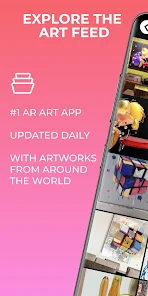
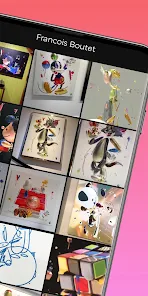
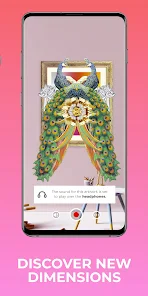

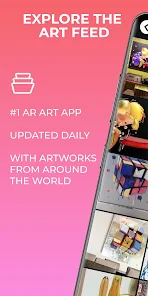
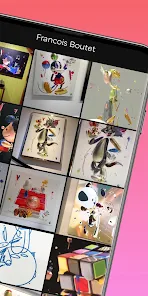
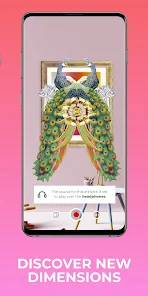
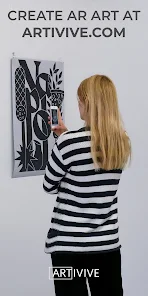
Artivive is an innovative augmented reality (AR) platform designed specifically for artists and creators. One of its standout features is the ability to bring static artworks to life by overlaying digital content, such as animations or videos, onto physical pieces. This interactive experience allows viewers to engage with art in a new and immersive way, enhancing their understanding and appreciation of the work.
Another notable feature is its user-friendly interface, which enables artists to easily upload their artwork and corresponding digital content without needing extensive technical skills. Artivive also supports various media formats, allowing for a diverse range of creative expressions. Additionally, the platform provides analytics tools that help artists track viewer engagement and interactions, offering valuable insights into how their work is received.
Artivive also fosters a community of creators, encouraging collaboration and sharing of ideas. The platform is compatible with both iOS and Android devices, making it accessible to a wide audience. Overall, Artivive empowers artists to explore new dimensions of creativity and connect with their audience in a meaningful way.
Using Artivive is a straightforward process that allows artists to seamlessly integrate augmented reality into their work. First, users need to create an account on the Artivive platform. Once registered, they can upload their artwork, whether it’s a painting, drawing, or any other form of visual art. The platform supports various file formats, making it easy to work with different types of media.
After uploading the artwork, users can then add digital content that will be triggered by the AR experience. This could include animations, videos, or sound clips that enhance the narrative of the artwork. Once the digital content is linked to the physical piece, artists can preview the AR experience using the Artivive app on their mobile devices.
Finally, artists can share their augmented reality creations with the world. By providing a unique QR code or link, viewers can access the AR experience by scanning the code with their smartphones. This interactive feature not only captivates audiences but also encourages them to engage more deeply with the artwork, making it a powerful tool for modern artists.
Artivive offers several advantages that make it an appealing choice for artists looking to incorporate augmented reality into their work. One of the primary benefits is its ease of use; the platform is designed for creators of all skill levels, allowing even those with minimal technical knowledge to create engaging AR experiences. Additionally, the ability to track viewer engagement through analytics provides artists with valuable feedback on their work.
However, there are some drawbacks to consider. One potential con is that the app may require a stable internet connection for optimal performance, which could limit accessibility in certain situations. Furthermore, while the basic features are free, some advanced functionalities may require a subscription, which could be a barrier for emerging artists on a budget.
Overall, Artivive presents a unique opportunity for artists to explore new creative avenues through augmented reality. By weighing the pros and cons, creators can determine if this platform aligns with their artistic goals and vision.

 #N/A
#N/A 
 #N/A
#N/A Spotify Wrapped is an annual feature that summarizes your listening habits, including your most-played songs and artists of the year.
To create a playlist, click "Your Library," then "Playlists," and select "Create Playlist." Add songs by searching or browsing.
Yes, with a Spotify Premium subscription, you can download songs and playlists for offline listening.
Spotify offers a free tier with ads, as well as a Premium subscription that removes ads and adds features.
Click the three dots next to the song, select "Share," and choose your preferred sharing method, like social media or a link.










 Google Play
  App Store