Category: Communication
Developer: Google LLC
 Verified App


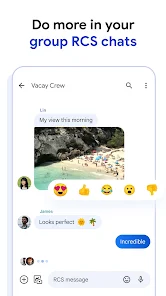
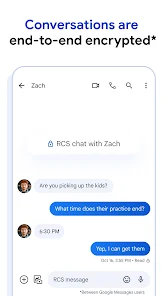
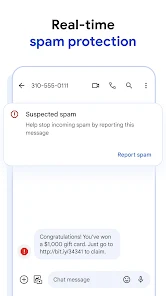
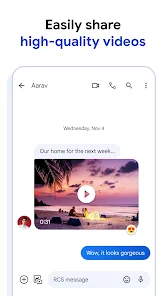
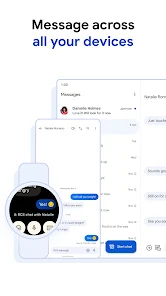
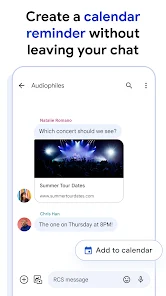
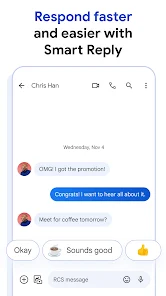
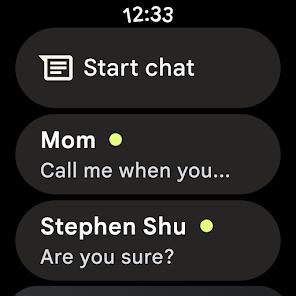
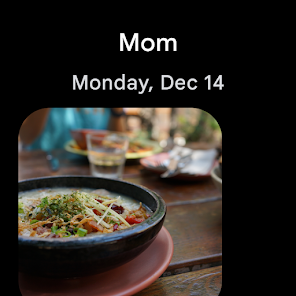
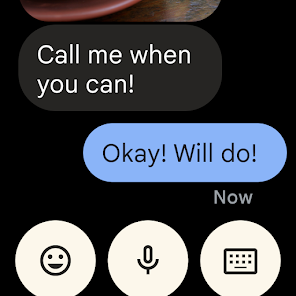
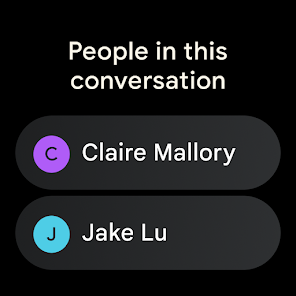
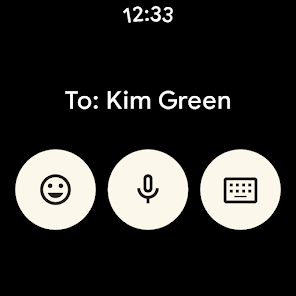
"Messages: SMS Messaging" is a versatile application designed to enhance your texting experience. One of its standout features is the ability to send and receive SMS and MMS messages seamlessly, allowing users to share not just text but also images, videos, and audio files. The app supports group messaging, enabling users to communicate with multiple contacts simultaneously, which is perfect for coordinating events or sharing updates with friends and family.
Another notable feature is the integration of rich media, which allows users to send stickers, GIFs, and emojis to add a personal touch to their conversations. The app also includes a search function, making it easy to find specific messages or media shared in past conversations. Additionally, users can customize their messaging experience with various themes and notification settings, ensuring that they can tailor the app to their preferences. The app's user-friendly interface and quick access to frequently used contacts further enhance its functionality, making it a popular choice for users looking for a reliable messaging solution.
Using "Messages: SMS Messaging" is straightforward and user-friendly. To get started, download the app from your device's app store and install it. Once installed, open the app, and you will be greeted with a clean interface that displays your message threads. To send a new message, tap the "+" icon or the "New Message" button, then enter the recipient's phone number or select a contact from your address book.
After selecting a recipient, type your message in the text box at the bottom of the screen. You can also attach media by tapping the attachment icon, which allows you to choose images, videos, or audio files from your device. Once your message is ready, hit the send button. To manage your conversations, simply tap on any thread to view the chat history, and use the search function to find specific messages quickly. Additionally, explore the app's settings to customize notifications, themes, and other preferences to enhance your messaging experience.
Like any application, "Messages: SMS Messaging" comes with its own set of advantages and disadvantages. One of the primary pros is its user-friendly interface, which makes it accessible for users of all ages. The app supports a wide range of multimedia formats, allowing for rich communication through text, images, and videos. Additionally, the group messaging feature is a significant advantage for those who frequently communicate with multiple contacts at once. The search functionality also enhances usability, making it easy to locate past conversations.
On the downside, some users may experience issues with message delivery, particularly in areas with poor network coverage. Additionally, while the app is generally reliable, it may occasionally lag or crash, which can be frustrating. Privacy concerns are also a consideration, as SMS messages are not encrypted, making them potentially vulnerable to interception. Lastly, the app may not offer as many advanced features as some third-party messaging apps, which could be a drawback for users seeking more robust functionalities. Overall, weighing these pros and cons can help users determine if this app meets their messaging needs.

 Instant communication with friends and family anytime, anywhere. Easy to use, requiring no special apps or internet connection. Reliable delivery, ensuring your messages reach recipients quickly. Supports group messaging for convenient conversations with multiple people. Texting is discreet, allowing communication without interrupting others.
 Limited character count restricts detailed communication Lacks end-to-end encryption, risking privacy Messages can be delayed or fail to deliver
  Google Play
  App Store

I used to have Messenges installed and liked it. you could customize the way the chat looked (bubble color, background images, etc...). I was forced to Google messenges. You can not customize the chat room at all. I have spent hours trying to find any way to at least change the bubble colors and nope. you're stuck with what they give you. My older eyes have a hard time following the chats with black bubbles and a black background, or white on white. I'll be looking for a different one. Too bad
Wish there was more customization for the background of messages. My old messaging system allowed pictures for the background. And I wish we could get rid of that awful yellow color on all the other messages that aren't rcs. (And when clicking which message to send a picture too.) Go to white. Did I mention how awful that yellow is?! lol! But it's so bad!
I had to switch to this from Samsung messages. Now, there is a big lag in the text I receive. I'll get the notification, but when I open my message, it takes a few seconds for the text to pop up, or I have to open the text thread from the person to see the actual text. I have tried to fix it through all of the settings. The only way I can get it to work well is to turn off RCS and obviously I can't do that or several other things won't work correctly. Edit: Suggestion made it worse
The lag it causes my phone is terrible. If I disable it, then my phone stops lagging. It's not an old phone and I don't have time for lag. I also don't have the ability to Group messages by type, it is not listed as an option under Message Organization. Plus my last messaging system let me place background images for text chats, which made it easier to identify which text chat I'm talking in. There doesn't appear to be that option in this App.
Too slow, screen goes blank, can't respond to messages at times. The only thing I like is the extra emojis and I can like messages but other then that I miss my Samsung messages and now we're stuck with this? I'm not happy at all.. I'm forced to use this feature for messages. Sometimes I have to sure snap chat because Google messages is not responding. I'm frustrated. Last week I sent messages to my husband and 3 minutes later they disappeared. Like how is that even possible? So much is wrong
Review Source: Google Play store public user reviews.
Yes, users can submit suggestions or feedback through the app's settings or the support section, where they can often find options to contact the development team.
Messages: SMS Messaging may collect certain user data for functionality and improvement purposes, but it primarily focuses on privacy and does not store message content.
Yes, Messages: SMS Messaging can be used offline for sending and receiving SMS messages, though internet access is required for features like RCS and multimedia sharing.
Since Messages: SMS Messaging is free and does not have a subscription model, there is no need to cancel a subscription. Users can simply uninstall the app if they no longer wish to use it.
Messages: SMS Messaging does not require a subscription fee, but users may incur charges from their mobile carrier for messaging services.
No, customer numbers cannot be changed once your account is activated.
Yes, you can log in to your SMS messaging account from multiple devices using your customer number.
To log in, enter your customer number and password on the login page, then click 'Submit'.
Use the 'Forgot Password' option on the login page and follow the instructions to reset it.
You can activate your account by following the link sent to your email after registration.
• Bug fixes and stability improvements.