
 Home
Home  Apps
Apps  Games
Games  Windows
  Topics
  About Us
  Cookies & Privacy Policy
  Terms of Service
Firefox: el navegador privado


Advertisement



Information
- Category: Communication
- Price: 0
- Age Rating: Everyone
- Rating: 4.6
- Developer: Mozilla
- Version: 132.0.2
Advertisement
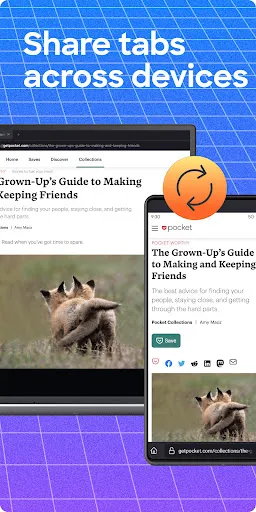
"Firefox: el navegador privado" es una aplicación diseñada para ofrecer una experiencia de navegación segura y privada. Con herramientas avanzadas de protección de datos y bloqueo de rastreadores, permite a los usuarios explorar la web sin comprometer su privacidad. Su interfaz intuitiva y personalizable facilita el acceso a contenido sin distracciones, mientras que la sincronización con otros dispositivos garantiza que tu información esté siempre a mano. Navega con confianza y mantén tu información personal a salvo con Firefox.
Features of "Firefox: el navegador privado"
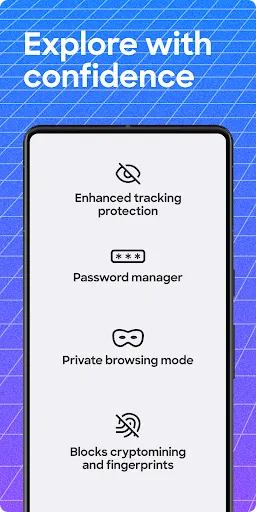
"Firefox: el navegador privado" is designed to prioritize user privacy and security while browsing the internet. One of its standout features is Enhanced Tracking Protection, which automatically blocks trackers and cookies that follow users across websites. This ensures a more private browsing experience, reducing the amount of data collected by advertisers.
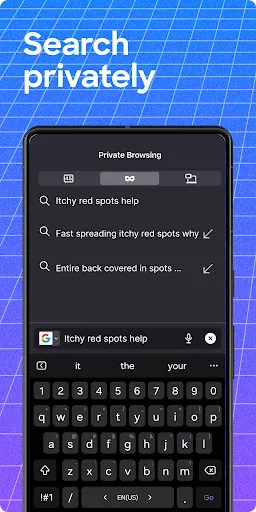
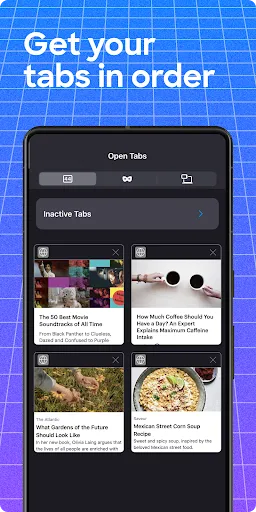
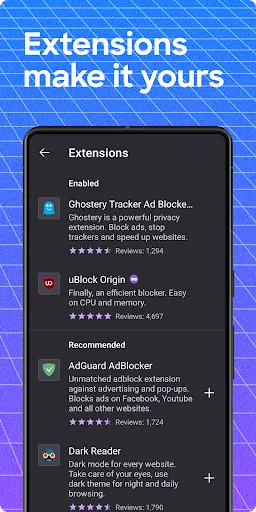
Another notable feature is the built-in Private Browsing mode, which allows users to surf the web without saving their history, cookies, or temporary files. This mode is particularly useful for those who want to keep their online activities confidential. Additionally, Firefox offers a customizable interface, enabling users to tailor their browsing experience with various themes and extensions.
Moreover, the browser includes a password manager that securely stores and autofills passwords, enhancing both convenience and security. Users can also benefit from regular updates that improve performance and introduce new privacy features. Overall, "Firefox: el navegador privado" combines robust privacy tools with user-friendly design, making it a compelling choice for those concerned about online security.
How to Use "Firefox: el navegador privado"
Using "Firefox: el navegador privado" is straightforward and user-friendly. To start, download and install the app from the official Firefox website or your device's app store. Once installed, open the app, and you will be greeted with a clean interface that emphasizes privacy. To activate Private Browsing mode, simply tap the menu icon and select "New Private Window." This will open a new window where your browsing history and cookies will not be saved.
As you navigate the web, take advantage of the Enhanced Tracking Protection feature, which is enabled by default. This feature automatically blocks trackers, ensuring a more secure browsing experience. You can also customize your settings by accessing the options menu, where you can manage permissions, adjust privacy settings, and install add-ons to enhance functionality.
For added security, consider using the built-in password manager to store your login credentials safely. Remember to regularly check for updates to ensure you have the latest security features. By following these steps, you can maximize your privacy and enjoy a seamless browsing experience with "Firefox: el navegador privado."
Pros & Cons of the App
Like any application, "Firefox: el navegador privado" has its advantages and disadvantages. One of the primary pros is its strong focus on user privacy. The Enhanced Tracking Protection feature effectively blocks unwanted trackers, making it a great choice for users concerned about data privacy. Additionally, the app's user-friendly interface and customizable options allow for a personalized browsing experience, catering to individual preferences.
Another significant advantage is the built-in password manager, which enhances security by securely storing and autofilling passwords. Regular updates ensure that users benefit from the latest features and security enhancements, keeping the browsing experience smooth and secure.
On the downside, some users may find that certain websites do not function optimally due to the aggressive blocking of trackers and ads. This can lead to a less seamless browsing experience on sites that rely heavily on advertising. Additionally, while the app is generally lightweight, it may consume more resources compared to other browsers, particularly when multiple tabs are open. Overall, while "Firefox: el navegador privado" excels in privacy and security, users should weigh these pros and cons based on their browsing needs.
Advertisement
Check All Versions  Google Play
  App Store
Google Play App Store Advertisement
Similar Apps





Top Apps

Lucky Patcher
Tools
4.5

Cocomelon
Parenting
4.5

Angry Birds
Games
4.8

SHAREit: Transfer, Share Files
Tools
4.3

PlutoTV: Live TV & Free Movies
Entertainment
3.7

Green Dot - Mobile Banking
Finance
3.6

Doxcy
Tools
4.9

Telegram
Social
4.3

Fox News - Daily Breaking News
News & Magazines
3.2

UC Browser-Safe, Fast, Private
Communication
4.4

CashApp
Finance
4.3

Hangouts
Communication
4.8
Advertisement