
Version: 44.1.0.39
Developer: Cisco Systems, Inc.
 Verified App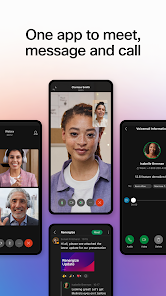
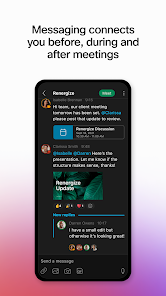

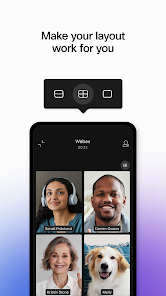
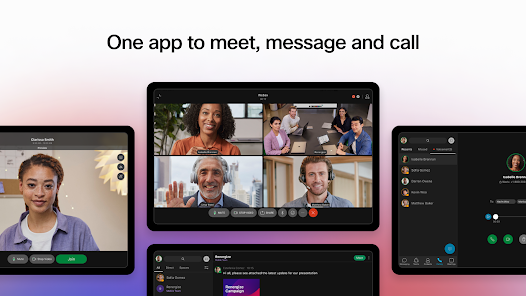

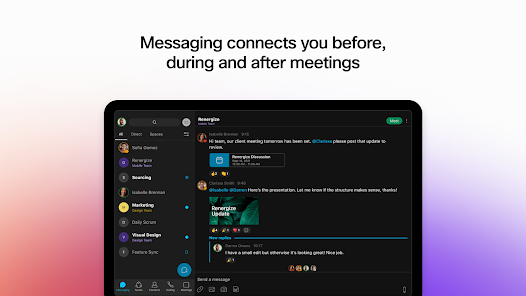

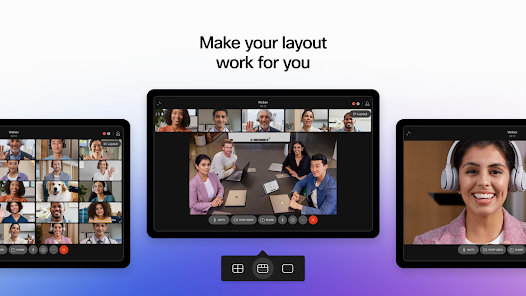
Webex is a comprehensive collaboration platform that offers a variety of features designed to enhance communication and productivity. One of its standout features is high-quality video conferencing, which supports HD video and allows for large meetings with up to 1,000 participants. Additionally, Webex provides screen sharing capabilities, enabling users to present documents, applications, and entire screens seamlessly during meetings.
Another key feature is the integration of messaging tools, which facilitate real-time communication among team members. Users can send direct messages, create group chats, and share files, making collaboration more efficient. Webex also includes a virtual whiteboard, allowing participants to brainstorm and visualize ideas collectively. Furthermore, the platform offers robust security measures, including end-to-end encryption, ensuring that sensitive information remains protected during communications.
Webex integrates with various third-party applications, enhancing its functionality and allowing users to customize their experience. The platform is accessible on multiple devices, including desktops, tablets, and smartphones, ensuring that users can connect from anywhere. Overall, Webex combines powerful features that cater to the needs of businesses and teams, making it a popular choice for remote collaboration.
Using Webex is straightforward and user-friendly, making it accessible for individuals and teams alike. To get started, users need to create an account on the Webex website or download the Webex app on their devices. Once registered, users can schedule meetings by selecting a date and time, inviting participants via email, and generating a unique meeting link.
To join a meeting, participants can click on the provided link or enter the meeting ID in the Webex app. During the meeting, users can utilize features such as video and audio controls, screen sharing, and chat functions to enhance interaction. For those who wish to record meetings, Webex offers a recording feature that allows users to save sessions for future reference.
Additionally, Webex provides options for customizing meeting settings, such as enabling a waiting room or controlling participant permissions. Users can also take advantage of the mobile app for on-the-go access, ensuring they can stay connected regardless of their location. Overall, Webex's intuitive interface and comprehensive features make it easy for users to engage in effective virtual collaboration.
Webex offers several advantages that make it a popular choice for businesses and teams. One of the primary pros is its high-quality video and audio capabilities, which enhance the overall meeting experience. The platform supports a large number of participants, making it suitable for both small team meetings and large webinars. Additionally, Webex's robust security features, including encryption and compliance with industry standards, provide peace of mind for users concerned about data privacy.
However, there are also some drawbacks to consider. One common con is that the user interface can be overwhelming for new users, as it offers a wide range of features that may take time to learn. Additionally, while Webex provides a free version, its limitations on meeting duration and participant numbers may not meet the needs of larger organizations. Some users have also reported occasional connectivity issues, which can disrupt meetings.
In summary, while Webex is a powerful collaboration tool with numerous benefits, potential users should weigh its pros and cons to determine if it aligns with their specific needs and preferences. Overall, it remains a strong contender in the realm of virtual communication and collaboration.

 #N/A
#N/A 
 #N/A
#N/A Spotify Wrapped is an annual feature that summarizes your listening habits, including your most-played songs and artists of the year.
To create a playlist, click "Your Library," then "Playlists," and select "Create Playlist." Add songs by searching or browsing.
Yes, with a Spotify Premium subscription, you can download songs and playlists for offline listening.
Spotify offers a free tier with ads, as well as a Premium subscription that removes ads and adds features.
Click the three dots next to the song, select "Share," and choose your preferred sharing method, like social media or a link.













 Google Play
  App Store