
 Home
Home  Apps
Apps  Games
Games  Windows
  Topics
  About Us
  Cookies & Privacy Policy
  Terms of Service
TeamViewer Remote Control


Advertisement

Information
- Category: Business
- Price: free
- Age Rating: Everyone
- Rating: 4.4
- Developer: TeamViewer
- Version: 15.69.835
Advertisement
TeamViewer Remote Control allows users to access and control remote devices seamlessly from anywhere in the world. With its intuitive interface, you can connect to computers, servers, and mobile devices effortlessly, making remote support and collaboration easy. Whether for personal use or professional IT support, TeamViewer ensures secure connections with robust encryption, enabling efficient troubleshooting and file sharing. Experience the power of remote access with TeamViewer, designed for convenience and reliability.
Features of TeamViewer Remote Control
TeamViewer Remote Control is a powerful tool designed for remote access and support. One of its standout features is cross-platform compatibility, allowing users to connect across various operating systems, including Windows, macOS, Linux, iOS, and Android. This flexibility ensures that users can access their devices from virtually anywhere, regardless of the platform.
Another significant feature is the high-quality remote desktop experience, which includes fast data transmission and low latency. This ensures smooth interactions, making it ideal for tasks that require real-time collaboration. Additionally, TeamViewer offers robust security measures, including end-to-end encryption and two-factor authentication, ensuring that remote sessions are secure and private.
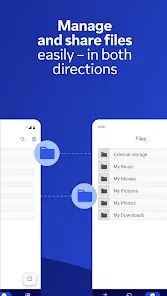
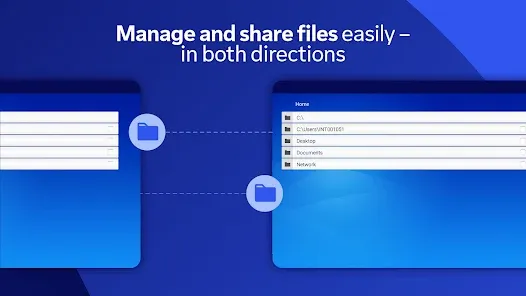
TeamViewer also includes file transfer capabilities, enabling users to easily send and receive files during a remote session. The software supports remote printing, allowing users to print documents from a remote device to a local printer. Furthermore, the intuitive user interface makes it easy for both novices and experienced users to navigate the application efficiently.
How to Use TeamViewer Remote Control
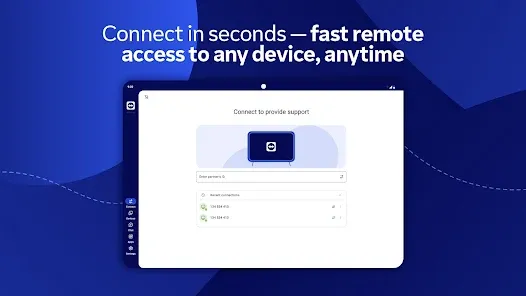
Using TeamViewer Remote Control is straightforward and user-friendly. First, download and install the application on both the local and remote devices. Once installed, open the application on both ends. The remote device will display a unique ID and password, which the user must share with the person who will be accessing it.
On the local device, enter the remote device's ID in the designated field and click "Connect." You will then be prompted to enter the password provided by the remote user. After entering the correct credentials, a secure connection will be established, granting you access to the remote desktop.
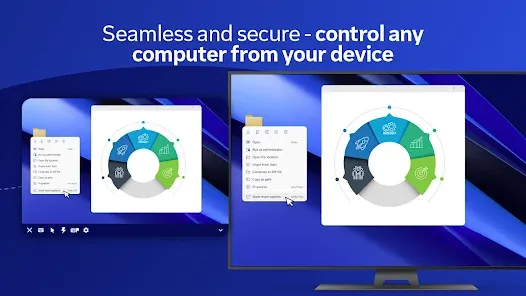
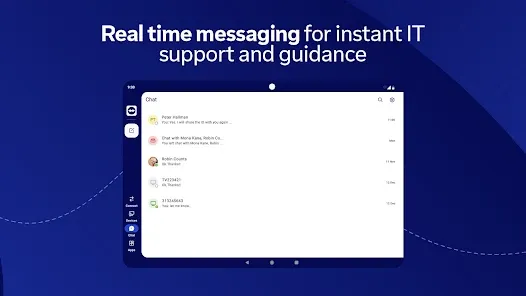
During the session, you can control the remote device as if you were sitting in front of it. You can navigate through applications, transfer files, and even print documents remotely. Once your tasks are complete, simply close the session to disconnect. TeamViewer also allows for session recording and chat features, enhancing the overall remote support experience.
Pros & Cons of TeamViewer Remote Control
TeamViewer Remote Control offers numerous advantages, making it a popular choice for remote access and support. One of its primary benefits is its ease of use; the intuitive interface allows users to connect quickly without extensive technical knowledge. Additionally, its cross-platform compatibility ensures that users can connect across different operating systems seamlessly.
Another significant advantage is the robust security features, including end-to-end encryption, which protects sensitive data during remote sessions. TeamViewer also provides excellent customer support and regular updates, ensuring that users have access to the latest features and security enhancements.
However, there are some drawbacks to consider. TeamViewer can be expensive for businesses, especially if multiple licenses are required. Additionally, some users have reported performance issues, particularly with slower internet connections. Lastly, while the free version is available for personal use, it may have limitations that could hinder functionality for more demanding tasks.
Advertisement
 Google Play
  App Store
 Advertisement
Similar Apps





Top Apps

Lucky Patcher
Tools
4.5

Cocomelon
Parenting
4.5

Angry Birds
Games
4.8

SHAREit: Transfer, Share Files
Tools
4.3

PlutoTV: Live TV & Free Movies
Entertainment
3.7

Green Dot - Mobile Banking
Finance
3.6

Doxcy
Tools
4.9

Telegram
Social
4.3

Fox News - Daily Breaking News
News & Magazines
3.2

UC Browser-Safe, Fast, Private
Communication
4.4

CashApp
Finance
4.3

Hangouts
Communication
4.8
Advertisement