
Version: 1.49.0
Developer: Sched LLC
 Verified App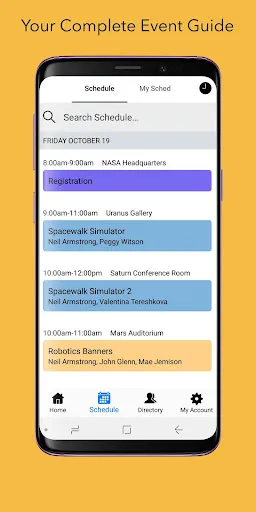
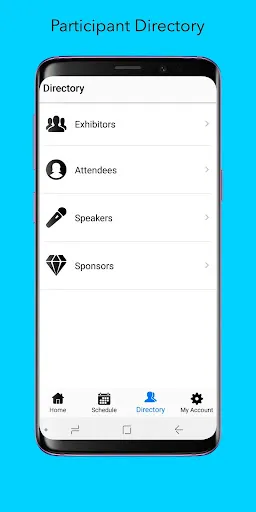
Sched is a versatile event management platform designed to streamline the planning and execution of conferences, workshops, and other gatherings. One of its standout features is the customizable event schedule, which allows organizers to tailor the agenda to meet the specific needs of their audience. Users can easily add sessions, speakers, and locations, ensuring that attendees have all the information they need at their fingertips.
Another key feature is the attendee engagement tools, which include networking opportunities, live polling, and Q&A sessions. These tools foster interaction between participants and speakers, enhancing the overall event experience. Additionally, Sched offers robust analytics and reporting capabilities, enabling organizers to track attendance, engagement levels, and feedback, which can be invaluable for future events.
Moreover, Sched supports integration with various third-party applications, such as payment processors and marketing tools, making it a comprehensive solution for event management. The platform is also mobile-friendly, allowing attendees to access schedules and updates on their smartphones, ensuring they stay informed throughout the event.
Using Sched is a straightforward process that begins with creating an account on their website. Once registered, event organizers can start by setting up their event profile, which includes essential details such as the event name, date, location, and description. This initial setup is crucial as it lays the foundation for the entire event.
After establishing the event profile, organizers can begin adding sessions, speakers, and other relevant information. Sched provides an intuitive interface that allows users to easily input details and customize the schedule. Once the agenda is set, organizers can promote the event by sharing the unique event link with potential attendees.
Attendees can then register for the event through the provided link, where they can view the schedule, select sessions of interest, and even network with other participants. Throughout the event, organizers can utilize Sched's engagement tools to enhance interaction and gather real-time feedback, ensuring a successful and engaging experience for all involved.
Sched offers numerous advantages that make it a popular choice for event organizers. One of the primary benefits is its user-friendly interface, which simplifies the process of creating and managing events. The platform's customization options allow organizers to tailor the experience to their audience, enhancing engagement and satisfaction. Additionally, the analytics features provide valuable insights into attendee behavior, helping organizers improve future events.
However, there are some drawbacks to consider. One potential con is that while Sched offers a range of features, some users may find the pricing structure to be on the higher side, especially for smaller events or organizations with limited budgets. Furthermore, while the platform is generally reliable, occasional technical issues can arise, which may disrupt the user experience. Overall, Sched is a powerful tool for event management, but it's essential for users to weigh the pros and cons based on their specific needs and circumstances.
```
 Sched simplifies event scheduling with an intuitive interface, saving time for users. It streamlines communication, ensuring all participants stay informed and engaged. Customizable features allow personalization to fit specific event needs seamlessly. Integration with popular calendars enhances accessibility and organization for all attendees. Real-time updates keep everyone aligned, reducing confusion and improving event flow.
 Limited flexibility in scheduling can lead to inefficiencies in resource allocation. User interface may be complex, causing a steep learning curve for new users. Lack of integration with other tools might hinder workflow and collaboration.
  Google Play
  App Store
 Yes, users can submit suggestions or feedback through the app or by reaching out to Sched's support team via their website.
Yes, Sched collects personal data during the registration process and for event management purposes, but it adheres to privacy regulations to protect user information.
Sched primarily requires an internet connection for full functionality, but some features may be accessible offline depending on the platform used.
To cancel your Sched subscription, you can do so through your account settings within the app or by contacting Sched's customer support for assistance.
The cost of a subscription to Sched varies depending on the plan selected, with options for individual users, teams, and organizations.
If you haven't received a confirmation email to activate your account, check your spam folder. If it's not there, contact customer service for help.
You can reach our customer service team via the support email provided on our website or through the live chat feature. We're here to help!
To update your customer information, log in to your account and navigate to the settings section. You can edit your details there.
Your customer number can usually be found in your account settings or in the welcome email you received when you signed up.
To log in, visit the Sched website and enter your email and password in the login section. If you have trouble, use the "Forgot Password" link.