Version: 1.6.2
Developer: vistech.projects
 Verified App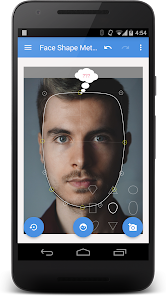
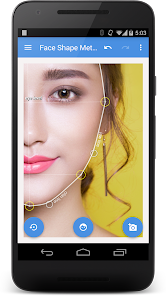
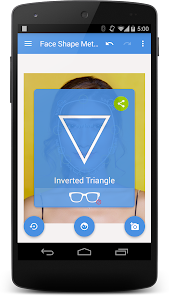
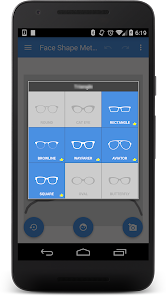
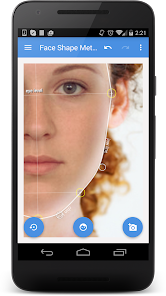
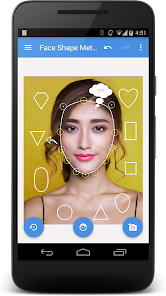
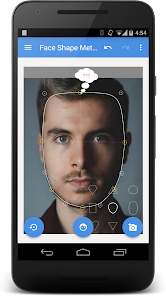
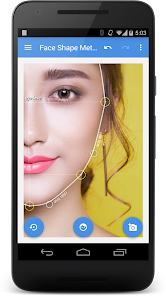
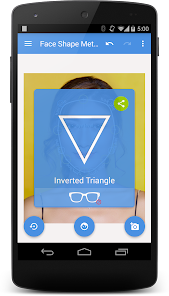
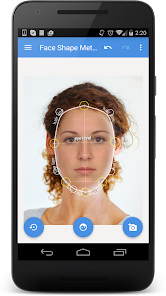
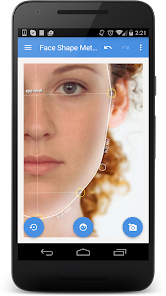
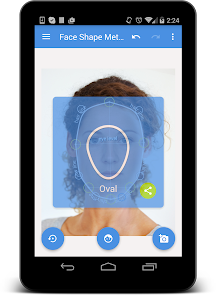
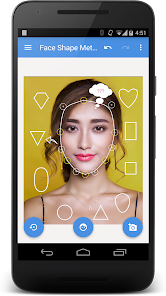
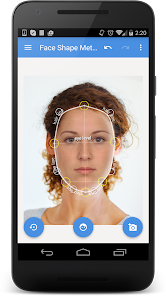
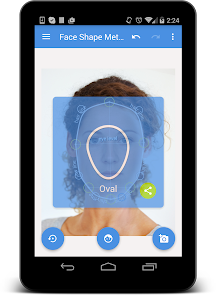
"My Face Shape Meter and Frames" is an innovative application designed to help users identify their face shape and find the most suitable eyewear frames. One of its standout features is the face shape analysis tool, which utilizes advanced algorithms to assess facial dimensions and proportions. This feature provides users with a detailed report on their face shape, whether it be oval, round, square, heart, or diamond.
Additionally, the app offers a virtual try-on feature, allowing users to see how different frame styles look on their face in real-time. This augmented reality functionality enhances the shopping experience by enabling users to visualize their choices before making a purchase. The app also includes a curated selection of frames tailored to each face shape, ensuring that users can easily find options that complement their features. Furthermore, the user-friendly interface and intuitive navigation make it accessible for individuals of all ages, making eyewear shopping a more enjoyable and personalized experience.
Using "My Face Shape Meter and Frames" is a straightforward process that begins with downloading the app from your preferred app store. Once installed, users are prompted to create an account or log in. The first step is to take a clear photo of your face, ensuring that your features are well-lit and unobstructed. The app will then analyze the image to determine your face shape.
After the analysis, users will receive a detailed report outlining their face shape and recommendations for frame styles that best suit their features. To explore frame options, users can browse through the app's extensive catalog, which includes various styles, colors, and materials. The virtual try-on feature allows users to see how each frame looks on their face by overlaying the selected frames onto their photo. Once satisfied with their choice, users can easily purchase their selected frames directly through the app, making the entire process seamless and efficient.
The "My Face Shape Meter and Frames" app offers several advantages that enhance the eyewear shopping experience. One of the primary benefits is its ability to accurately determine face shape, which helps users make informed decisions when selecting frames. The virtual try-on feature is another significant advantage, as it allows users to visualize how different styles will look on them without needing to visit a store. Additionally, the app's curated recommendations save time and effort, guiding users toward frames that are likely to suit their features.
However, there are some drawbacks to consider. The accuracy of the face shape analysis may vary depending on the quality of the photo taken, which could lead to incorrect recommendations. Furthermore, while the app offers a wide range of frames, it may not include every brand or style available in the market, limiting options for some users. Lastly, users may experience occasional technical glitches or slow loading times, which can detract from the overall user experience. Balancing these pros and cons is essential for users to determine if the app meets their eyewear shopping needs.

 #N/A
#N/A 
 #N/A
#N/A Spotify Wrapped is an annual feature that summarizes your listening habits, including your most-played songs and artists of the year.
To create a playlist, click "Your Library," then "Playlists," and select "Create Playlist." Add songs by searching or browsing.
Yes, with a Spotify Premium subscription, you can download songs and playlists for offline listening.
Spotify offers a free tier with ads, as well as a Premium subscription that removes ads and adds features.
Click the three dots next to the song, select "Share," and choose your preferred sharing method, like social media or a link.












 Google Play
  App Store