Version: 6.16.0
Developer: Cricut
 Verified App
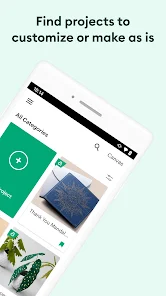
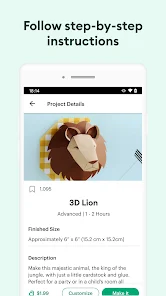
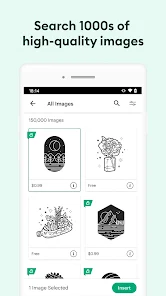
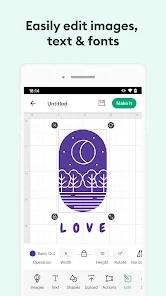
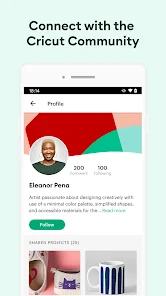
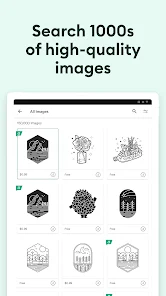
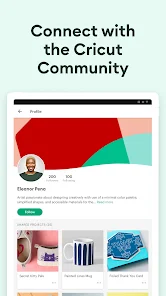
"Design Space: DIY with Cricut" is a versatile application designed to enhance your crafting experience. One of its standout features is the extensive library of images, fonts, and ready-to-make projects, which allows users to explore a wide range of creative possibilities. The app supports various file formats, enabling users to upload their own designs, making it perfect for personalized projects.
Another notable feature is the user-friendly interface, which simplifies the design process for both beginners and experienced crafters. The app provides step-by-step instructions, ensuring that users can easily navigate through their projects. Additionally, the ability to customize designs with tools like resizing, rotating, and layering adds a personal touch to every creation. The app also offers cloud storage, allowing users to access their projects from any device, ensuring flexibility and convenience.
Moreover, "Design Space" integrates seamlessly with various Cricut machines, enabling precise cutting and crafting. The app frequently updates its library with new content, keeping the creative options fresh and exciting. Overall, "Design Space: DIY with Cricut" is a comprehensive tool that empowers users to bring their creative visions to life.
Using "Design Space: DIY with Cricut" is a straightforward process that begins with downloading the app on your device. Once installed, you can create an account or log in if you already have one. The home screen presents various options, including starting a new project or accessing saved designs. To begin a new project, simply select the "New Project" button, which will take you to the design canvas.
From the design canvas, you can explore the library of images and fonts. You can search for specific items or browse through categories to find inspiration. Once you select an image or font, you can customize it by resizing, rotating, or changing colors. After finalizing your design, you can send it to your Cricut machine for cutting. Make sure to select the appropriate material settings for optimal results.
Additionally, the app allows you to save your projects in the cloud, making it easy to access them from different devices. If you encounter any challenges, the app provides tutorials and a help section to guide you through the process. Overall, "Design Space" is designed to be intuitive, making it accessible for crafters of all skill levels.
Like any application, "Design Space: DIY with Cricut" has its advantages and disadvantages. One of the primary pros is its extensive library of images and fonts, which provides users with a wealth of creative options. The user-friendly interface is another significant advantage, making it easy for both beginners and experienced crafters to navigate the app. Additionally, the ability to upload custom designs allows for greater personalization, catering to individual crafting needs.
However, there are some cons to consider. Some users have reported that the app can be slow or laggy, especially when working with larger projects. Additionally, while the library is vast, some users may find that certain images or fonts require a subscription or one-time purchase, which can be a drawback for those on a budget. Furthermore, the app's reliance on an internet connection for certain features may be inconvenient for users in areas with limited connectivity.
In summary, while "Design Space: DIY with Cricut" offers a robust set of features that enhance the crafting experience, potential users should weigh these pros and cons to determine if it meets their specific needs.

 #N/A
#N/A 
 #N/A
#N/A Spotify Wrapped is an annual feature that summarizes your listening habits, including your most-played songs and artists of the year.
To create a playlist, click "Your Library," then "Playlists," and select "Create Playlist." Add songs by searching or browsing.
Yes, with a Spotify Premium subscription, you can download songs and playlists for offline listening.
Spotify offers a free tier with ads, as well as a Premium subscription that removes ads and adds features.
Click the three dots next to the song, select "Share," and choose your preferred sharing method, like social media or a link.






 Google Play
  App Store