
Category: Art & Design
Developer: Braly JSC
 Verified App


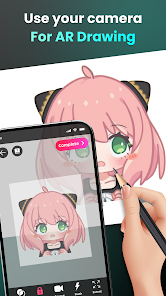
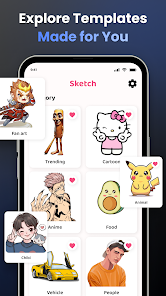
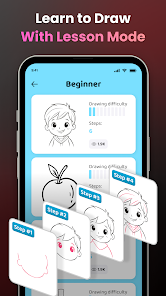
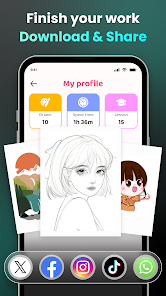
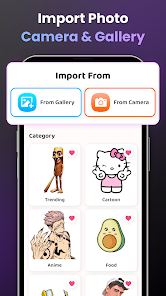
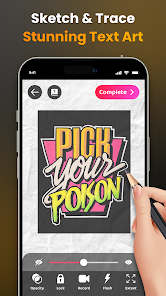
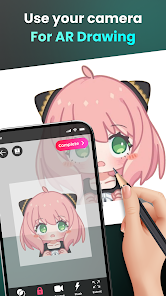
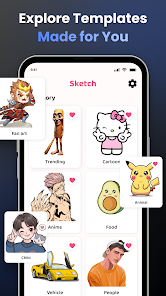
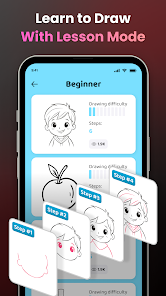
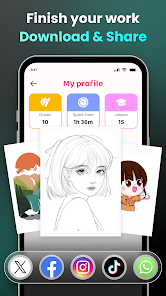
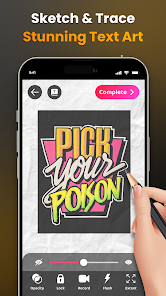
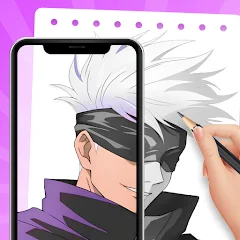
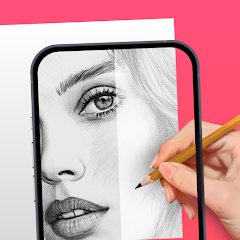
"AR Draw Sketch & Paint" is an innovative application that combines augmented reality with traditional drawing and painting techniques. One of its standout features is the ability to project your sketches onto real-world surfaces, allowing for a unique blend of digital and physical art. Users can choose from a variety of brushes, colors, and textures, enabling them to create intricate designs with ease. The app also supports layers, which means artists can work on different elements of their artwork separately, enhancing the overall quality and detail of their creations.
Another notable feature is the user-friendly interface, which caters to both beginners and experienced artists. The app includes tutorials and tips to help users get started, making it accessible for everyone. Additionally, "AR Draw Sketch & Paint" allows for easy sharing of artwork on social media platforms, encouraging community engagement and feedback. The app also offers a gallery feature where users can save and organize their creations, making it easy to revisit and refine past works. Overall, the combination of augmented reality and versatile tools makes this app a powerful platform for artistic expression.
Using "AR Draw Sketch & Paint" is a straightforward process that allows users to dive into their creative endeavors quickly. First, download and install the app on your compatible device. Once opened, you will be greeted with a clean interface that guides you through the initial setup. To start drawing, select the AR mode, which will enable your device's camera to project a virtual canvas onto your chosen surface. You can adjust the size and orientation of the canvas to fit your preferences.
Next, choose your desired tools from the extensive library of brushes and colors. The app allows you to customize brush settings, such as opacity and size, to achieve the desired effect. As you draw, you can utilize layers to separate different elements of your artwork, making it easier to edit and refine. Once you are satisfied with your creation, you can save it to your gallery or share it directly on social media. The app also provides options for exporting your artwork in various formats, ensuring that you can showcase your talent in the best possible way.
"AR Draw Sketch & Paint" comes with several advantages that make it appealing to artists of all skill levels. One of the primary pros is its integration of augmented reality, which allows users to visualize their artwork in real-world settings. This feature enhances creativity and provides a unique perspective on the art-making process. Additionally, the app's extensive range of tools and customizable options caters to diverse artistic styles, making it versatile for different users. The user-friendly interface and helpful tutorials also make it accessible for beginners, encouraging them to explore their artistic potential.
However, there are some drawbacks to consider. One potential con is that the app may require a device with advanced hardware capabilities to function optimally, which could limit accessibility for some users. Additionally, while the app offers a variety of features, some users may find the learning curve steep, especially when navigating the more advanced tools. Lastly, occasional bugs or performance issues may arise, which can disrupt the creative flow. Overall, while "AR Draw Sketch & Paint" has its challenges, its innovative features and artistic potential make it a worthwhile tool for many aspiring artists.

 Enhances creativity by allowing users to visualize their ideas in real space. User-friendly interface makes it accessible for artists of all skill levels. Offers a variety of tools for detailed and dynamic artwork creation. Real-time collaboration with friends fosters a shared artistic experience. Augmented reality features bring drawings to life in an engaging way.
 Limited features compared to professional drawing applications can hinder creativity. The app may experience performance issues on older devices, affecting usability. In-app purchases can be costly, limiting access to premium tools and features.
  Google Play
  App Store

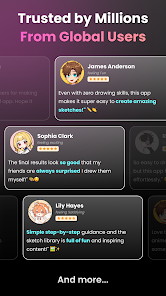
Listen, is there an ad around every corner? - yes, but does it get the job done - YES. When your're struggling to get the proportions right on something i always come back to this app. Yes, there may be alot of ads, but its how they make their money, and im willing to watch them so i can draw what i want. Other than that, pretty good app.
This app is wonderful! I love the outcomes of the drawings I made and they are so many to choose from. Even if I'm not the best at drawing, this changed my life. The only problem is the amount of ads it has, everytime I click the app after the loading it always starts with ads. The app is great, just the ads are so annoying. I wouldn't recommend this app if your not patient enough or your on a rush. Other than that, I so recommend it for those who can deal with it.
This app is okay. After I read a couple of reviews I was doubting this app, people were saying I had a chance that for only one drawing I would get 20-30 ads! Which is not true. There is a lot of ads which I think they should fix. Also I read a review saying "The ads on the screen get in the way" but there is a down button to get rid of the ad. Yay! But this app only receives a 3 because some of the ads can be very inappropriate and little kids might be playing this game! Also way to many Ads!
This app is fun! The ads are fine, and the drawings are nice. I don't like the organization though. Example: they put Amity Blight from The Owl House in the Chibi category when they should have put her in the Fanart category. They probably did this because the categories are vague, but then again, not a big deal. I did have a hard time uploading a digital drawing I made myself. It would crash every time I tried using it; it might be a user error, but It's still a good game! Would recommend!
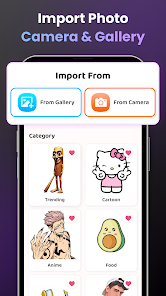
AR Drawing, YOU changed my whole life! I'm not so good at drawing, and I sometimes I really want to draw something, but it ends up looking weird! But now, I can draw anything I want to! Choose what you want to draw, then trace! If you don't find what you want, search up a picture on Google and add it! Also, you can take a picture of something and add it too! And guess what, it actually works so well! My drawings came out perfect! You can change the opacity AND size, etc. Definitely try it, NOW!!
Review Source: Google Play store public user reviews.
Yes, users can submit suggestions or feedback through the app’s support section or official website to help improve future updates.
The app has a privacy policy that outlines any data collection practices, and it only collects necessary data to enhance user experience.
Yes, AR Draw Sketch & Paint can be used offline, allowing users to create without needing an internet connection.
You can cancel your subscription through your device's app store settings, following the instructions provided for managing subscriptions.
Subscription costs for AR Draw Sketch & Paint may vary, typically offering monthly and annual plans that provide access to premium features.
Customer numbers are unique and cannot be changed. If you have concerns, please contact customer service for further assistance.
Yes, you can log in using your social media accounts if you linked them during registration. If you encounter issues, please contact customer service.
If you need a new activation link, please contact customer service, and they will assist you in generating a new one.
To activate your account, click the activation link sent to your email after registration. If you didn’t receive it, please check your spam folder.
You can reach customer service through the support section in the app or visit our website for assistance.
Version 1.9.64 - 25/06/2026 - Improve performance- Fix bugs