Version: 3.2.1
Developer: AppClose, Inc
 Verified App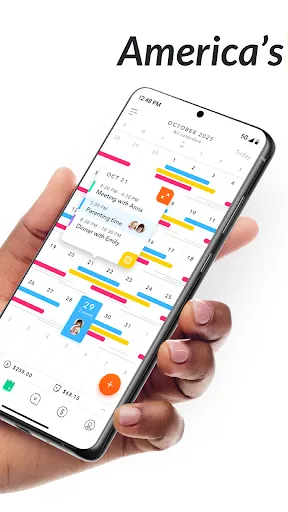
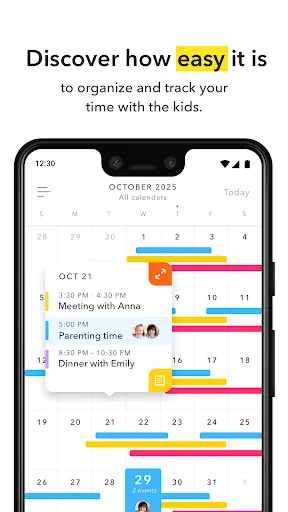
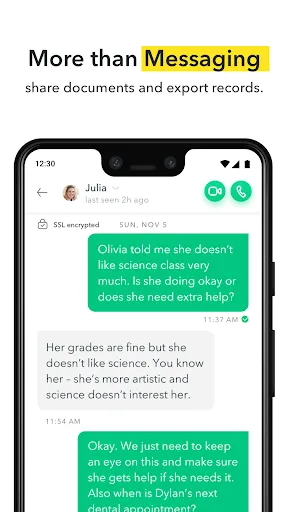
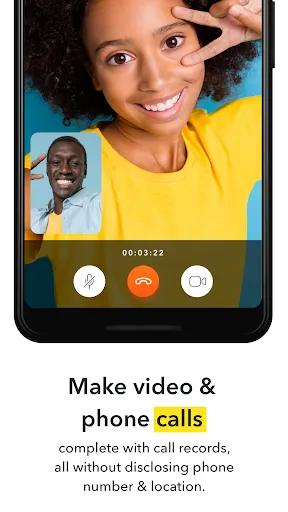
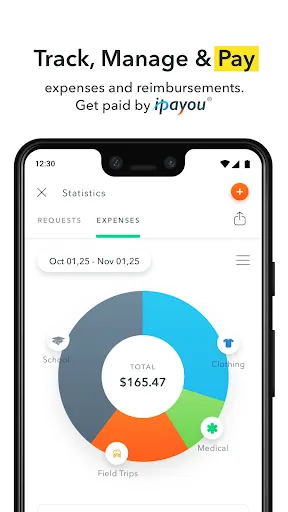
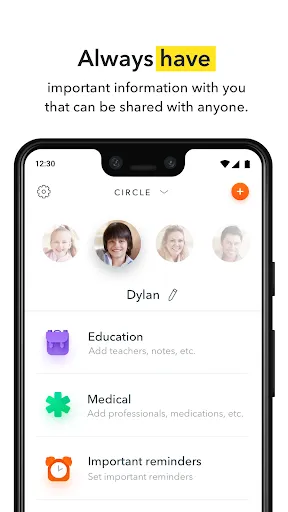

"AppClose: Co-Parent Essentials" is designed to facilitate effective communication and organization between co-parents. One of its standout features is the shared calendar, which allows both parents to keep track of important dates, such as custody schedules, school events, and appointments. This feature helps minimize misunderstandings and ensures that both parents are on the same page regarding their children's activities.
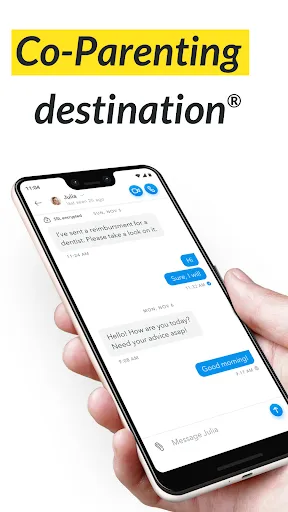
Another key feature is the messaging system, which provides a secure platform for co-parents to communicate without the need for text messages or phone calls. This helps maintain a record of conversations, which can be beneficial in case of disputes. Additionally, the app includes expense tracking, enabling parents to log and share costs related to their children, ensuring transparency in financial matters.
Furthermore, "AppClose" offers document storage, allowing users to keep important files, such as court orders and medical records, in one easily accessible location. The app also provides reminders for upcoming events and deadlines, helping parents stay organized. Overall, these features work together to create a streamlined experience for co-parents, promoting cooperation and reducing conflict.
Using "AppClose: Co-Parent Essentials" is straightforward and user-friendly. To get started, download the app from your device's app store and create an account. Once registered, you can invite your co-parent to join by sending them an invitation through the app. After both parents are connected, you can begin utilizing the various features available.
Begin by setting up the shared calendar, where you can input important dates and events related to your children. This will help both parents stay informed about schedules and commitments. Next, explore the messaging feature to communicate directly with your co-parent, ensuring that all discussions are documented within the app.
Utilize the expense tracking feature to log any costs associated with your children, making it easier to manage shared financial responsibilities. Additionally, take advantage of the document storage option to keep essential files organized and accessible. Regularly check the app for reminders and updates to ensure you remain on top of your co-parenting responsibilities. By actively engaging with the app, you can foster a more cooperative and organized co-parenting relationship.
Like any tool, "AppClose: Co-Parent Essentials" has its advantages and disadvantages. One of the primary pros is its user-friendly interface, which makes it easy for both parents to navigate and utilize the app's features. The shared calendar is particularly beneficial, as it helps prevent scheduling conflicts and keeps both parents informed about their children's activities. Additionally, the secure messaging system allows for clear communication while maintaining a record of conversations, which can be crucial in co-parenting situations.
On the downside, some users may find that the app lacks certain advanced features that other co-parenting apps offer, such as integrated video calls or more robust financial tracking options. Additionally, while the app is designed to facilitate communication, it may not eliminate all conflicts between co-parents, especially if underlying issues persist. Furthermore, some users have reported occasional technical glitches, which can be frustrating when trying to access important information.
Overall, "AppClose: Co-Parent Essentials" provides valuable tools for co-parents looking to improve their communication and organization. However, potential users should weigh these pros and cons to determine if the app meets their specific needs in their co-parenting journey.

 Streamline communication between co-parents for better collaboration. Simplify scheduling and shared calendars for children's activities. Track and manage expenses easily to ensure transparency. Access important documents securely and conveniently in one place. Receive reminders for important dates and obligations with ease.
 Limited features may not meet all co-parenting needs effectively. User interface can be confusing for some users. Frequent updates may disrupt user experience and accessibility.
  Google Play
  App Store
 Yes, users can submit suggestions or feedback through the app or by contacting customer support to help improve the service.
Yes, AppClose: Co-Parent Essentials collects personal data to provide its services, but it has strict privacy policies in place to protect user information.
Yes, AppClose: Co-Parent Essentials allows for offline use, enabling users to access certain features without an internet connection.
Users can cancel their subscription through the app settings or by following the instructions provided in the app's help section.
Subscription costs for AppClose: Co-Parent Essentials can vary depending on the plan chosen, so it's best to check the app for the most up-to-date pricing information.
Yes, you can activate your account directly through the app by following the prompts after downloading it.
You can contact Customer Service by using the support option within the app or visiting our website for additional resources.
Your Customer Number can be found in your account settings under the profile section.
To log in, open the app and enter your registered email and password. If you have trouble, use the 'Forgot Password' option.
Customer Numbers are unique and cannot be changed. If you need assistance, please contact Customer Service for guidance.