Category: Entertainment
Developer: Amazon Mobile LLC
 Verified App


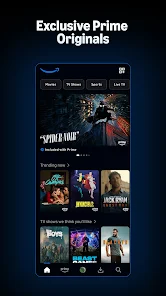
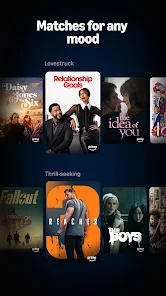
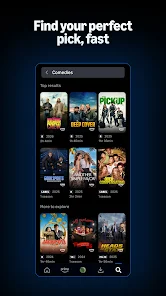
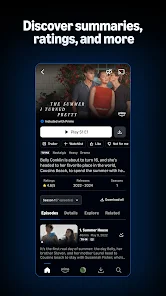
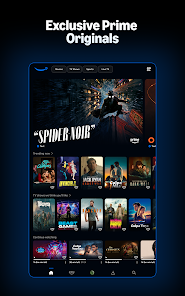
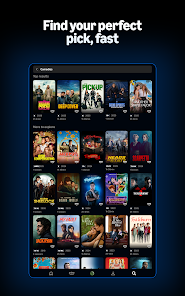
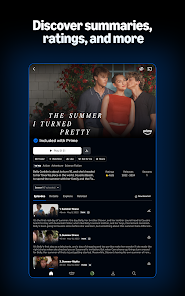
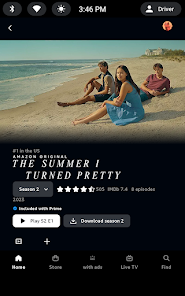
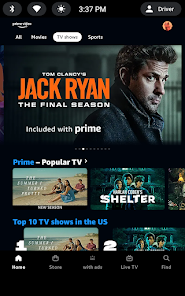
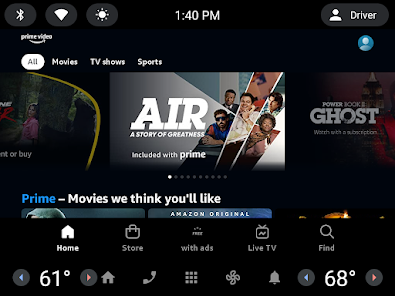
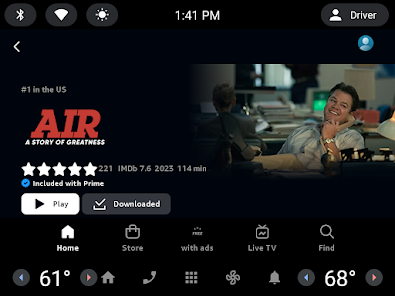
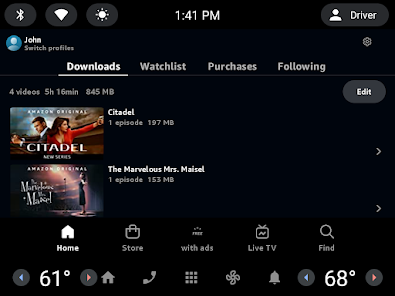
Prime Video offers a diverse range of features that enhance the viewing experience for its users. One of the standout features is its extensive library of movies and TV shows, including original content produced by Amazon Studios. Subscribers can enjoy exclusive series like "The Marvelous Mrs. Maisel" and "The Boys," which are not available on other platforms. Additionally, Prime Video supports 4K Ultra HD streaming, allowing viewers to enjoy high-quality visuals on compatible devices.
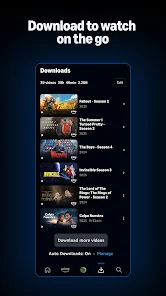
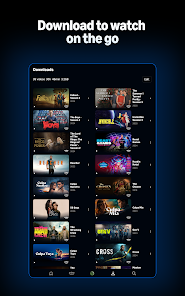
Another notable feature is the ability to download content for offline viewing, which is particularly useful for users who want to watch their favorite shows while traveling or in areas with limited internet access. Prime Video also offers personalized recommendations based on viewing history, making it easier for users to discover new content that aligns with their interests. Furthermore, the platform includes features like X-Ray, which provides information about the cast and crew during playback, enhancing the overall viewing experience.
Lastly, Prime Video allows users to rent or purchase movies and shows that are not included in the subscription, providing even more options for entertainment. With its user-friendly interface and compatibility with various devices, Prime Video remains a popular choice for streaming enthusiasts.
Using Prime Video is a straightforward process that begins with signing up for an Amazon Prime membership, which grants access to the streaming service. Once subscribed, users can access Prime Video through the website or by downloading the app on their preferred devices, including smartphones, tablets, smart TVs, and gaming consoles. After logging in with their Amazon account, users can browse the extensive library of content available for streaming.
To find specific titles, users can utilize the search function or explore curated categories such as "Trending," "New Releases," or "Genres." Once a desired movie or show is selected, users can click on it to view additional details, including a synopsis, cast information, and user ratings. To start watching, simply click the "Play" button. For those who wish to download content for offline viewing, the app provides an option to download selected titles directly to the device.
Additionally, users can create watchlists to save titles for later viewing, making it easier to keep track of shows and movies of interest. Prime Video also allows for parental controls, enabling users to restrict content based on ratings. Overall, the platform is designed to be user-friendly, ensuring that subscribers can easily navigate and enjoy their favorite content.
Prime Video comes with several advantages that make it a compelling choice for streaming enthusiasts. One of the primary pros is the vast library of content, which includes a mix of popular movies, TV shows, and exclusive Amazon Originals. This variety ensures that there is something for everyone, catering to diverse tastes and preferences. Additionally, the ability to download content for offline viewing is a significant benefit for users who travel frequently or have limited internet access.
Another advantage is the integration with Amazon Prime, which offers additional perks such as free shipping on eligible items and access to Amazon Music. The platform's user interface is also intuitive, making it easy to navigate and discover new content. However, there are some drawbacks to consider. One notable con is that not all titles available for rent or purchase are included in the subscription, which may lead to additional costs for users looking to access specific content.
Moreover, the app's performance can vary depending on the device and internet connection, with some users reporting buffering issues. Lastly, while Prime Video offers a wide range of content, it may not have the same level of exclusivity or popularity as other streaming services like Netflix or Disney+. Overall, while Prime Video has its pros and cons, it remains a strong contender in the streaming market.
```
 Vast library of movies and TV shows available Exclusive content you can't find elsewhere Convenient streaming on multiple devices anytime Ad-free viewing for uninterrupted entertainment Flexible rental and purchase options for new releases
 Limited content availability in some regions Interface can be confusing to navigate Frequent ads interrupt streaming experience Slow device compatibility updates

This app is trash. It constantly shuts down, loses its spot and it's touch recognition is garbage - I'll try to pause and it will jump forward. It also often just shuts itself down and returns home. Don't get me started on how we pay for this, but they still force ads on us and ask for more money to be add free. Also there is a really limited selection of movies and shows to choose from without paying extra. I will probably cancel because it's just not worth it. How greedy can you be Amazon?
There's a couple things that annoy me about this app. 1- When you watch a show, there's a lot more ads than if you were to watch a movie. Ads average around 15secs to was 2mins now they are over 4mins. 2- There's way too many add-ons (ex. Paramount+, Max, and AMC) and they should all be included in the price we pay for this service. Instead of a price for prime and a price for every other add-on separately. There should be different price packages and that we could add what we'd like.
I honestly used to love prime video BEFORE all of the ads became a part of it. The selection was also better. Now, if you don't want ads, you have to pay extra, and to see good films, you also have to subscribe to another channel. Prime video is enough as it is, but adding that extra fee to not sit through two minutes of ads is just reaching. Do better.
While there's a decent amount of movies to watch there are wayyyy too many ads. Even paying for a prime membership you'd think the ads were minimal but they're not. If you try to forward a movie there's another 4 minutes of ads. If you try to rewatch a movie there's another 4 minutes of ads. You will be watching minutes of ads the entire time. Not even 30 seconds, straight minutes of ads. Prime is only good for deliveries, don't waste your time on videos
There's only some good shows, most of which are an extra charge because they aren't actually on this platform (so you're getting half-catfished). The ads are the final straw for me though. How greedy can you be?!? Amazon has so much money, but it will apparently never be enough. I'm already paying to use this streaming service at all, so there's no way I'm gonna pay even more just so I won't have ads. Also the ads are incredibly long, and incredibly often. This is ridiculous
Review Source: Google Play store public user reviews.
Yes, Prime Video collects personal data to enhance user experience, provide recommendations, and offer targeted advertisements, in accordance with its privacy policy.
Prime Video typically offers a free 30-day trial for new users, allowing them to explore the service before committing to a subscription.
Yes, Prime Video requires a stable internet connection to stream content. However, you can download select titles for offline viewing.
You can contact Prime Video support through the Amazon website or app, where you can find help articles or initiate a chat with customer service.
You can manage or cancel your Prime Video subscription through your Amazon account settings under "Your Memberships and Subscriptions."
Unfortunately, you cannot change your customer number as it is linked to your Amazon account.
To log in, go to the Prime Video website or app, click on "Sign In," and enter your Amazon account credentials.
You can reach customer service via the Help section in the app or website, where you'll find options to chat or call for assistance.
You can contact Prime Video customer service through the Help section on the website or app, where you can find options for chat or phone support.
You cannot log in with just your customer number; you need your Amazon account email and password to access Prime Video.
Enjoy Amazon Prime Video in over 200 countries and territories around the globe! Download movies and TV shows using Wi-Fi or cellular networks.












 Google Play
  App Store