Version: 3.22.03
Developer: MangaToon
 Verified App
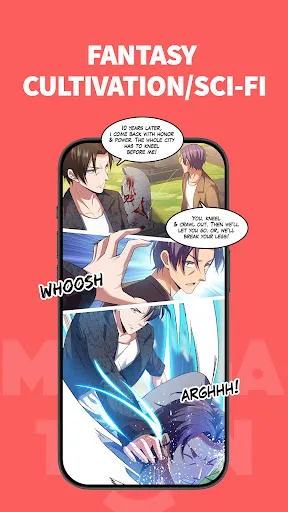


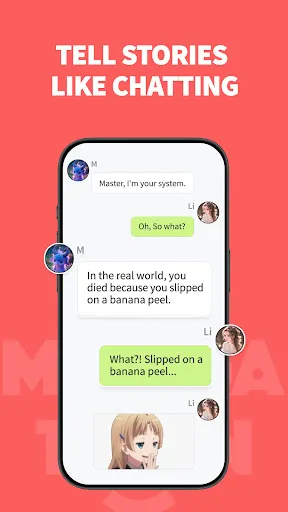

MangaToon: Comic & Manga is a popular platform that offers a wide array of features for comic and manga enthusiasts. One of its standout features is the extensive library, which includes a diverse selection of genres such as romance, action, fantasy, and horror. Users can easily browse through thousands of titles, ensuring there’s something for everyone. The app also provides a user-friendly interface, making navigation seamless and enjoyable.
Another notable feature is the ability to read comics and manga in multiple languages, catering to a global audience. Additionally, MangaToon allows users to create their own comics, providing tools for drawing and storytelling, which encourages creativity among its community. The app also includes a social aspect, where users can interact with each other, share their creations, and receive feedback. Regular updates and new releases keep the content fresh, ensuring that users always have something new to explore.
Using MangaToon: Comic & Manga is straightforward and user-friendly. First, download the app from your device's app store and create an account to access all features. Once logged in, you can explore the vast library of comics and manga by browsing through various categories or using the search function to find specific titles. The app allows you to bookmark your favorite series, making it easy to return to them later.
To read a comic, simply select the title you’re interested in, and it will open in a reader mode that is optimized for a comfortable reading experience. You can adjust settings such as brightness and page layout to suit your preferences. If you’re interested in creating your own comics, navigate to the creation tools within the app, where you can start drawing and writing your story. Engage with the community by commenting on others' works and sharing your own creations for feedback and support.
MangaToon: Comic & Manga comes with several advantages that make it appealing to users. One of the primary pros is its extensive library, which offers a wide variety of genres and titles, ensuring that readers can find something that suits their tastes. The app's user-friendly interface enhances the reading experience, allowing for easy navigation and accessibility. Additionally, the option to create and share your own comics fosters a sense of community and encourages creativity among users.
However, there are some drawbacks to consider. One con is that while the app is free, it may contain ads that can interrupt the reading experience. Some users have also reported that certain titles may not be available in all regions, limiting access to specific content. Furthermore, the quality of user-generated comics can vary significantly, which may affect the overall experience for some readers. Balancing these pros and cons is essential for users to determine if MangaToon meets their comic and manga needs.

 #N/A
#N/A 
 #N/A
#N/A  Google Play
  App Store
 Spotify Wrapped is an annual feature that summarizes your listening habits, including your most-played songs and artists of the year.
To create a playlist, click "Your Library," then "Playlists," and select "Create Playlist." Add songs by searching or browsing.
Yes, with a Spotify Premium subscription, you can download songs and playlists for offline listening.
Spotify offers a free tier with ads, as well as a Premium subscription that removes ads and adds features.
Click the three dots next to the song, select "Share," and choose your preferred sharing method, like social media or a link.