Version: 3.93
Developer: John emulators
 Verified App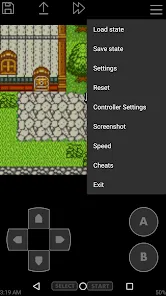
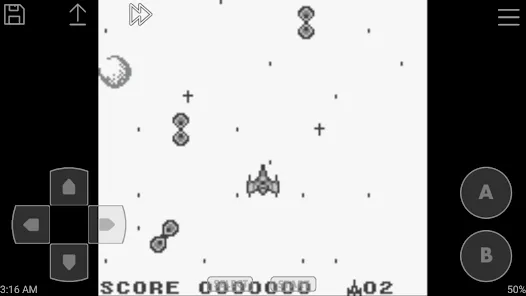

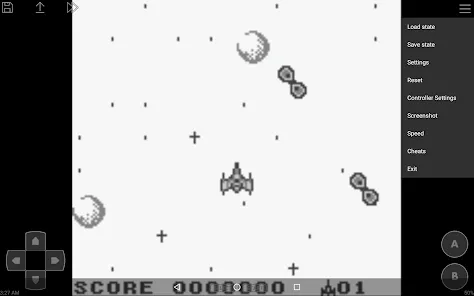
"John GBC Lite" is a popular Game Boy Color emulator that allows users to enjoy classic games on their mobile devices. One of its standout features is its user-friendly interface, which makes navigation simple and intuitive for both new and experienced users. The emulator supports a wide range of Game Boy Color games, ensuring that players can access their favorite titles without compatibility issues.
Another notable feature is the ability to save and load game states, allowing players to pick up right where they left off. This is particularly useful for challenging games that require multiple attempts to complete. Additionally, "John GBC Lite" offers customizable controls, enabling users to adjust button layouts to suit their preferences, enhancing the overall gaming experience.
The emulator also includes features like cheat code support, which allows players to use cheats to enhance their gameplay. Furthermore, it supports various screen sizes and orientations, ensuring a comfortable gaming experience on any device. With its robust feature set, "John GBC Lite" stands out as a top choice for Game Boy Color enthusiasts.
Using "John GBC Lite" is a straightforward process that allows users to dive into their favorite Game Boy Color games quickly. First, download and install the app from a trusted source, ensuring that your device meets the necessary requirements. Once installed, launch the app, and you will be greeted with a clean interface that guides you through the setup process.
To start playing, you will need to load a Game Boy Color ROM. This can be done by tapping the "Load Game" option and navigating to the location where your ROM files are stored. After selecting a game, it will load, and you can begin playing immediately. The emulator provides options to customize controls, so take a moment to adjust the layout to your liking for optimal gameplay.
Additionally, familiarize yourself with the save and load state features, which allow you to save your progress at any point in the game. This is particularly helpful for longer or more challenging titles. With these simple steps, you can enjoy a seamless gaming experience with "John GBC Lite" and relive the nostalgia of classic Game Boy Color games.
"John GBC Lite" comes with several advantages that make it a popular choice among gamers. One of the primary pros is its ease of use, which allows even novice users to navigate the app effortlessly. The emulator supports a wide variety of Game Boy Color games, ensuring that players have access to a vast library of titles. Additionally, the customizable controls enhance the gaming experience, allowing users to tailor the interface to their preferences.
However, there are some drawbacks to consider. One notable con is that the free version may contain ads, which can be distracting during gameplay. Furthermore, while the emulator supports many games, some titles may experience performance issues or glitches, which can detract from the overall experience. Lastly, users must ensure they have legal access to ROMs, as downloading games without proper ownership can lead to legal complications.
In summary, "John GBC Lite" offers a solid gaming experience with its user-friendly features and extensive game support, but potential users should weigh the pros and cons before diving in.

 #N/A
#N/A 
 #N/A
#N/A  Google Play
  App Store
 Spotify Wrapped is an annual feature that summarizes your listening habits, including your most-played songs and artists of the year.
To create a playlist, click "Your Library," then "Playlists," and select "Create Playlist." Add songs by searching or browsing.
Yes, with a Spotify Premium subscription, you can download songs and playlists for offline listening.
Spotify offers a free tier with ads, as well as a Premium subscription that removes ads and adds features.
Click the three dots next to the song, select "Share," and choose your preferred sharing method, like social media or a link.