Version: 4.1.0
Developer: Drury Media - DeerCast
 Verified App
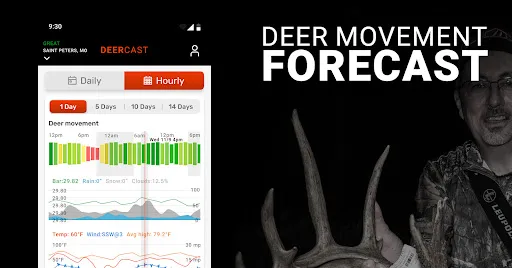
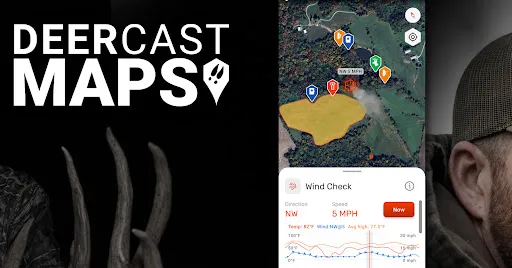
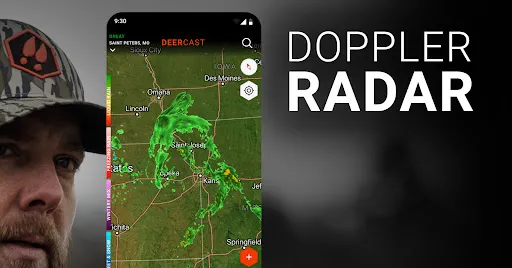
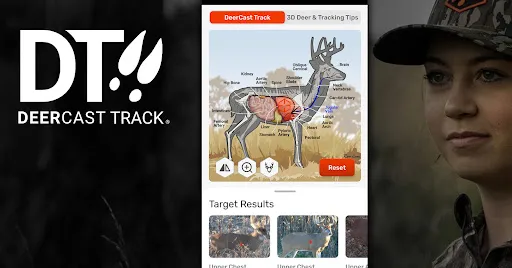
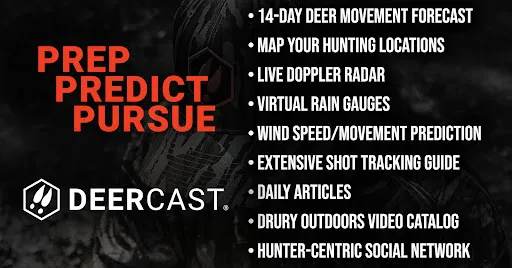
"DeerCast: Weather, Maps, Track" is a comprehensive app designed specifically for hunters and outdoor enthusiasts. One of its standout features is the advanced weather forecasting system, which provides real-time updates on temperature, wind speed, and precipitation. This information is crucial for planning successful hunting trips. The app also includes detailed maps that help users navigate hunting areas, identify terrain types, and locate potential deer habitats.
Another key feature is the tracking capability, which allows users to log their hunting activities, including locations, times, and conditions. This data can be invaluable for analyzing patterns and improving future hunting strategies. Additionally, the app offers a "DeerCast" prediction model that uses weather data and historical trends to forecast deer movement, helping hunters choose the best times to be in the field. With its user-friendly interface and customizable notifications, "DeerCast" is an essential tool for anyone serious about hunting.
Using "DeerCast: Weather, Maps, Track" is straightforward and intuitive. After downloading the app, users should create an account to access personalized features. Once logged in, the home screen displays the current weather conditions and a forecast tailored to the user's location. To utilize the mapping feature, users can zoom in on specific areas to explore terrain and identify potential hunting spots.
To track hunting activities, users can log their trips by entering details such as date, time, and weather conditions. This information can be reviewed later to identify successful patterns. The DeerCast prediction model can be accessed from the main menu, providing insights into the best times for deer movement based on current and historical data. Regularly checking the app for updates and notifications will ensure that users are always informed and ready for their next hunting adventure.
The "DeerCast: Weather, Maps, Track" app offers several advantages that make it a valuable tool for hunters. One of the primary pros is its accurate weather forecasting, which is essential for planning hunting trips. The app's mapping feature is also a significant benefit, allowing users to explore various terrains and identify prime hunting locations. Additionally, the tracking functionality helps hunters analyze their past trips, leading to improved strategies over time. The DeerCast prediction model is another highlight, providing insights into deer movement that can enhance the chances of a successful hunt.
However, there are some drawbacks to consider. Some users may find the app's subscription model a bit pricey, especially if they are casual hunters. Additionally, while the app is user-friendly, new users may require some time to familiarize themselves with all its features. Lastly, the accuracy of the DeerCast predictions can vary based on local conditions, which may not always align with the app's forecasts. Overall, while "DeerCast" has its limitations, its benefits often outweigh the cons for dedicated hunters.

 #N/A
#N/A 
 #N/A
#N/A  Google Play
  App Store
 Spotify Wrapped is an annual feature that summarizes your listening habits, including your most-played songs and artists of the year.
To create a playlist, click "Your Library," then "Playlists," and select "Create Playlist." Add songs by searching or browsing.
Yes, with a Spotify Premium subscription, you can download songs and playlists for offline listening.
Spotify offers a free tier with ads, as well as a Premium subscription that removes ads and adds features.
Click the three dots next to the song, select "Share," and choose your preferred sharing method, like social media or a link.