
 Home
Home  Apps
Apps  Games
Games  Windows
  Topics
  About Us
  Cookies & Privacy Policy
  Terms of Service
Copy My Data: Transfer Content


Advertisement
Information
- Category: Tools
- Price: free
- Age Rating: Everyone
- Rating: 4.3
- Developer: Red Sky Labs
- Version: 5.1.1
Advertisement
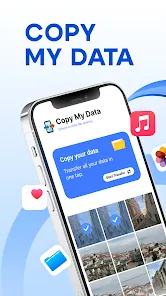
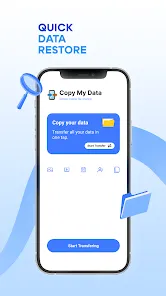
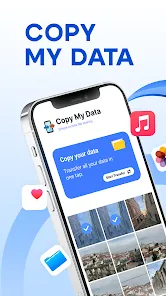
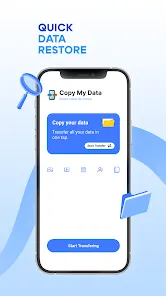
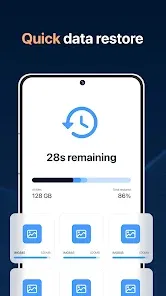
"Copy My Data: Transfer Content" is a user-friendly app designed to seamlessly transfer your contacts, photos, videos, and other important data between devices. Whether you're switching to a new phone or backing up your information, this app simplifies the process with a straightforward interface and secure transfer methods. Enjoy hassle-free data migration and ensure that your essential content is always at your fingertips, no matter the device you choose.
Features of "Copy My Data: Transfer Content"
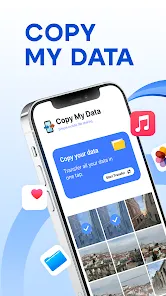
"Copy My Data: Transfer Content" is a user-friendly application designed to facilitate the seamless transfer of data between devices. One of its standout features is the ability to transfer various types of content, including contacts, calendar events, photos, and videos, making it a versatile tool for users looking to migrate to a new device.
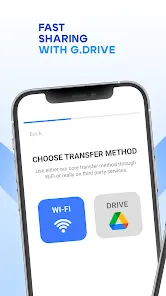
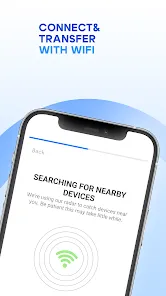
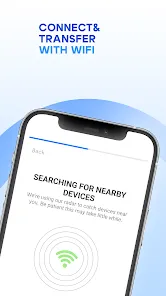
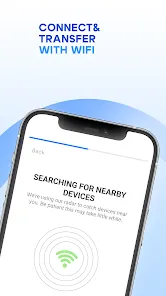
The app supports both Android and iOS platforms, allowing users to transfer data across different operating systems effortlessly. It utilizes a Wi-Fi connection for fast and secure data transfer, eliminating the need for cables or complex setups. Additionally, the app provides a straightforward interface, guiding users through the transfer process step-by-step, which is particularly beneficial for those who may not be tech-savvy.
Another notable feature is the ability to transfer data selectively, enabling users to choose specific items they wish to move rather than transferring everything at once. This flexibility ensures that users can manage their data according to their preferences. Overall, "Copy My Data" is an efficient solution for anyone looking to switch devices without losing important information.
How to Use "Copy My Data: Transfer Content"
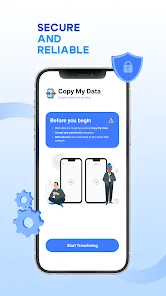
Using "Copy My Data: Transfer Content" is a straightforward process that can be completed in just a few steps. First, download and install the app on both the source and target devices from the respective app stores. Once installed, open the app on both devices and ensure they are connected to the same Wi-Fi network for optimal performance.
Next, select the option to transfer data on the source device. The app will prompt you to choose the type of content you wish to transfer, such as contacts, photos, or calendar events. After making your selections, the app will generate a unique code that you will need to enter on the target device to establish a secure connection.
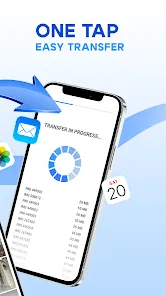
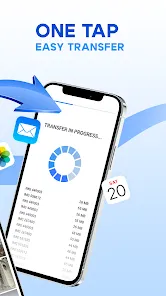
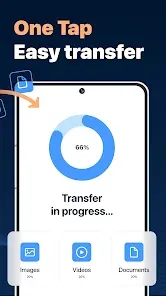
Once the connection is established, the app will begin transferring the selected data. The duration of the transfer will depend on the amount of data being moved. After the process is complete, you will receive a confirmation message, and you can then check the target device to ensure all desired content has been successfully transferred. This simple and efficient process makes "Copy My Data" an excellent choice for users looking to switch devices with ease.
Pros & Cons of the App
Like any application, "Copy My Data: Transfer Content" has its advantages and disadvantages. One of the primary pros is its ease of use; the app is designed with a user-friendly interface that simplifies the data transfer process, making it accessible for users of all technical skill levels. Additionally, the ability to transfer various types of content, including contacts and media files, adds to its versatility.
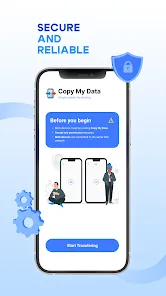
Another significant advantage is the cross-platform compatibility, allowing users to transfer data between Android and iOS devices seamlessly. The app's reliance on Wi-Fi for data transfer also enhances speed and security, eliminating the need for physical connections. However, there are some cons to consider. For instance, the app may not support the transfer of certain types of data, such as app-specific data or settings, which could be a limitation for some users.
Moreover, the transfer speed can vary based on the amount of data and the quality of the Wi-Fi connection, which may lead to longer wait times in some cases. Lastly, while the app is generally reliable, occasional bugs or connectivity issues may arise, potentially causing frustration. Overall, "Copy My Data" is a valuable tool, but users should weigh its pros and cons based on their specific needs.
Advertisement
 Google Play
  App Store
 Advertisement
Similar Apps



Top Apps

Lucky Patcher
Tools
4.5

Cocomelon
Parenting
4.5

Angry Birds
Games
4.8

SHAREit: Transfer, Share Files
Tools
4.3

PlutoTV: Live TV & Free Movies
Entertainment
3.7

Green Dot - Mobile Banking
Finance
3.6

Doxcy
Tools
4.9

Telegram
Social
4.3

Fox News - Daily Breaking News
News & Magazines
3.2

UC Browser-Safe, Fast, Private
Communication
4.4

CashApp
Finance
4.3

Hangouts
Communication
4.8
Advertisement