Version: 1.41
Developer: Optime Software
 Verified App




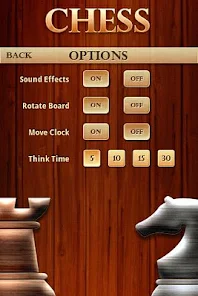

"Chess Premium" offers a comprehensive suite of features designed to enhance the chess-playing experience for both beginners and advanced players. One of the standout features is the extensive library of interactive lessons and tutorials, which cover various aspects of the game, including openings, tactics, and endgames. Users can also access a vast database of chess puzzles that challenge their problem-solving skills and improve their tactical awareness.
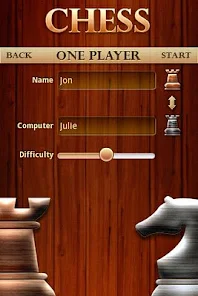
Another notable feature is the ability to play against a powerful AI opponent, which can be adjusted to different skill levels, allowing players to practice at their own pace. Additionally, "Chess Premium" includes online multiplayer functionality, enabling users to compete against friends or players from around the world. The app also provides detailed game analysis, offering insights into players' moves and suggesting improvements. Furthermore, users can track their progress over time, making it easier to identify strengths and weaknesses in their gameplay.
Using "Chess Premium" is straightforward and user-friendly, making it accessible for players of all skill levels. After downloading the app, users can create an account or log in to access their personalized dashboard. The main interface features various options, including lessons, puzzles, and game modes. To start learning, users can select from a range of interactive lessons tailored to their skill level, allowing them to grasp fundamental concepts and advanced strategies.
For practice, players can engage in puzzles that focus on specific tactical themes, helping to sharpen their skills. The app also allows users to play against the AI or challenge other players online. After each game, users can review their performance through detailed analysis, which highlights mistakes and suggests better moves. To maximize the benefits of "Chess Premium," players are encouraged to set aside regular practice time and explore the diverse resources available within the app.
"Chess Premium" comes with several advantages that make it a popular choice among chess enthusiasts. One of the primary pros is its extensive educational content, which caters to players of all levels. The interactive lessons and puzzles are engaging and effective in improving skills. Additionally, the app's user-friendly interface makes navigation easy, allowing users to quickly access various features. The ability to play against a customizable AI and compete with others online adds to the app's appeal, providing a well-rounded chess experience.
However, there are some drawbacks to consider. One potential con is that the premium subscription may be seen as expensive by some users, especially those who are just starting out. Additionally, while the app offers a wealth of resources, some users may find the sheer volume of content overwhelming. Lastly, occasional technical issues or bugs can disrupt the user experience, although these are typically addressed in updates. Overall, "Chess Premium" is a robust app with both strengths and weaknesses that users should weigh before committing.

 #N/A
#N/A 
 #N/A
#N/A Spotify Wrapped is an annual feature that summarizes your listening habits, including your most-played songs and artists of the year.
To create a playlist, click "Your Library," then "Playlists," and select "Create Playlist." Add songs by searching or browsing.
Yes, with a Spotify Premium subscription, you can download songs and playlists for offline listening.
Spotify offers a free tier with ads, as well as a Premium subscription that removes ads and adds features.
Click the three dots next to the song, select "Share," and choose your preferred sharing method, like social media or a link.












 Google Play
  App Store