Version: 49.67
Developer: Carly Solutions GmbH & Co KG
 Verified App
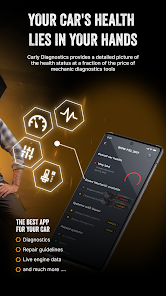
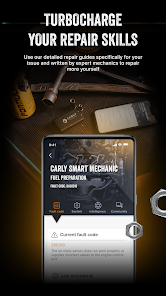
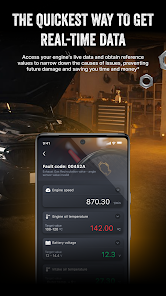
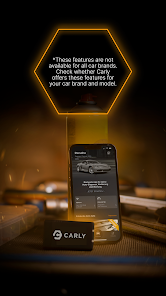
The Carly OBD2 car scanner is a versatile tool designed for car enthusiasts and everyday drivers alike. One of its standout features is the ability to read and clear diagnostic trouble codes (DTCs), allowing users to identify and address issues with their vehicles quickly. The scanner supports a wide range of vehicles, making it compatible with many makes and models, which enhances its usability.
Another notable feature is the live data monitoring, which provides real-time information about various vehicle parameters such as engine temperature, RPM, and fuel consumption. This feature is particularly useful for diagnosing performance issues. Additionally, Carly offers a unique coding function that allows users to customize certain vehicle settings, enhancing the driving experience.
The app also includes a comprehensive vehicle history report, which helps users keep track of past repairs and maintenance. Furthermore, the user-friendly interface and mobile app integration make it easy to navigate and utilize the scanner's features effectively. Overall, Carly combines functionality and convenience, making it a valuable tool for anyone looking to maintain their vehicle's health.
Using the Carly OBD2 car scanner is a straightforward process that can be completed in just a few steps. First, download the Carly app from the App Store or Google Play Store and create an account. Once the app is installed, connect the OBD2 scanner to your vehicle's OBD2 port, which is typically located under the dashboard near the steering wheel.
After connecting the scanner, launch the Carly app on your smartphone. The app will automatically detect the scanner and establish a connection. From there, you can select the type of diagnostic you wish to perform, such as reading trouble codes or monitoring live data. Follow the on-screen prompts to navigate through the various features, and once you have completed your diagnostics, you can save or share the results for future reference.
For advanced features like coding, ensure that you have the appropriate permissions and knowledge, as incorrect settings can affect vehicle performance. Overall, Carly's user-friendly design makes it accessible for both novice and experienced users, allowing anyone to take control of their vehicle's diagnostics and maintenance.
The Carly OBD2 car scanner comes with several advantages that make it a popular choice among users. One of the primary pros is its extensive compatibility with various vehicle makes and models, which allows a wide range of users to benefit from its features. Additionally, the app's ability to read and clear diagnostic trouble codes is invaluable for identifying and resolving issues quickly, potentially saving users time and money on repairs.
Another significant advantage is the live data monitoring feature, which provides real-time insights into vehicle performance. This can help users make informed decisions about maintenance and repairs. Furthermore, the coding feature allows for customization, enabling users to tailor their vehicle settings to their preferences.

 #N/A
#N/A 
 #N/A
#N/A Spotify Wrapped is an annual feature that summarizes your listening habits, including your most-played songs and artists of the year.
To create a playlist, click "Your Library," then "Playlists," and select "Create Playlist." Add songs by searching or browsing.
Yes, with a Spotify Premium subscription, you can download songs and playlists for offline listening.
Spotify offers a free tier with ads, as well as a Premium subscription that removes ads and adds features.
Click the three dots next to the song, select "Share," and choose your preferred sharing method, like social media or a link.










 Google Play
  App Store