Version: 1.3.8
Developer: MOJO GAME
 Verified App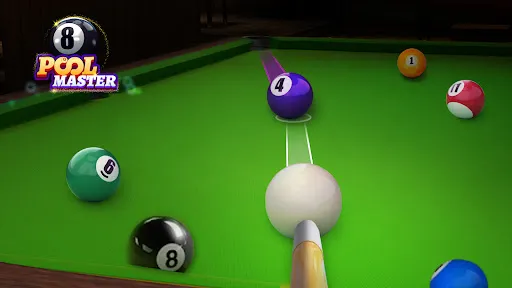

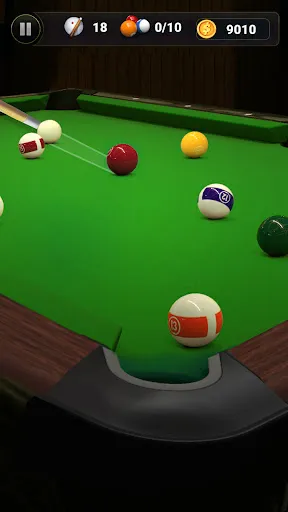
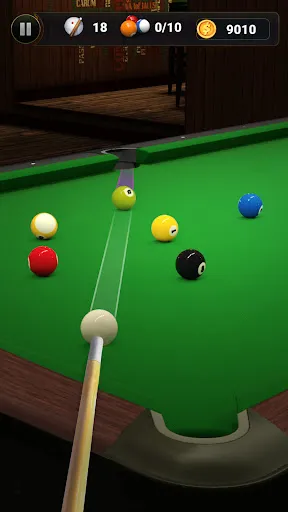
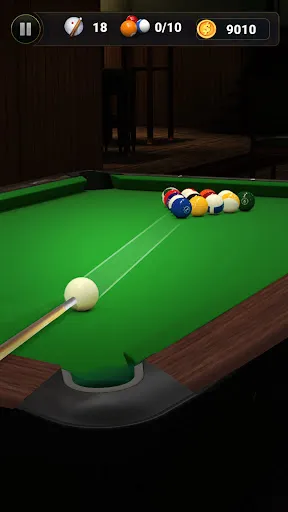

"8 Pool Master" is a captivating billiards game that offers a variety of features designed to enhance the gaming experience. One of its standout features is the realistic physics engine, which simulates the behavior of the balls accurately, providing players with a true-to-life pool experience. The game also includes multiple game modes, such as 8-ball, 9-ball, and even tournaments, allowing players to choose their preferred style of play.
Another notable feature is the customizable cues and tables, which enable players to personalize their gaming experience. Players can unlock and upgrade cues with different attributes, enhancing their performance in matches. Additionally, "8 Pool Master" offers online multiplayer options, allowing users to compete against friends or players from around the world. The intuitive controls and user-friendly interface make it accessible for both beginners and seasoned players alike. With stunning graphics and smooth animations, the game immerses players in a vibrant pool hall atmosphere, making it a must-try for billiards enthusiasts.
Using "8 Pool Master" is straightforward and user-friendly, making it accessible for players of all skill levels. To get started, download the app from your device's app store and install it. Once launched, you can create an account or play as a guest. The main menu presents various game modes, including single-player, multiplayer, and practice modes. Choose your preferred mode to begin your pool journey.
In the game, players can select their cue and customize their table settings. The controls are simple: use your finger to aim and adjust the power of your shot. Players can also access tutorials to learn advanced techniques and strategies. As you play, you can earn coins and rewards, which can be used to unlock new cues and tables. Regular updates and events keep the gameplay fresh, encouraging players to return and improve their skills. Overall, "8 Pool Master" provides an engaging and enjoyable experience for pool lovers.
"8 Pool Master" comes with several advantages that make it appealing to players. One of the primary pros is its realistic gameplay, which offers an authentic billiards experience. The variety of game modes caters to different preferences, ensuring that players can find something that suits their style. Additionally, the ability to customize cues and tables adds a personal touch, enhancing player engagement. The online multiplayer feature allows for competitive play, making it easy to challenge friends or meet new opponents.
However, there are some drawbacks to consider. Some users have reported occasional connectivity issues during online matches, which can disrupt gameplay. Additionally, while the game is free to play, it includes in-app purchases that may be necessary for unlocking premium content, which could deter some players. The learning curve for mastering advanced techniques may also be steep for beginners. Overall, while "8 Pool Master" offers a rich gaming experience, potential players should weigh these pros and cons before diving in.

 #N/A
#N/A 
 #N/A
#N/A  Google Play
  App Store
 Spotify Wrapped is an annual feature that summarizes your listening habits, including your most-played songs and artists of the year.
To create a playlist, click "Your Library," then "Playlists," and select "Create Playlist." Add songs by searching or browsing.
Yes, with a Spotify Premium subscription, you can download songs and playlists for offline listening.
Spotify offers a free tier with ads, as well as a Premium subscription that removes ads and adds features.
Click the three dots next to the song, select "Share," and choose your preferred sharing method, like social media or a link.