Version: 4.26.1
Developer: Nanit
 Verified App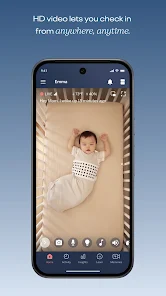

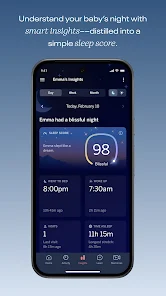
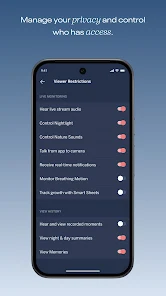
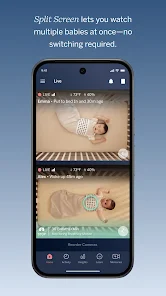
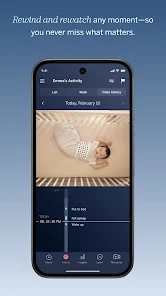
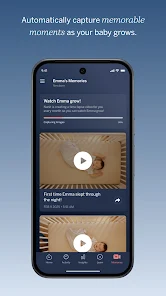
Nanit is a cutting-edge baby monitor designed to provide parents with peace of mind and valuable insights into their child's sleep patterns. One of its standout features is the high-definition video streaming, which allows parents to see their baby clearly from anywhere via a smartphone app. The monitor also includes advanced sleep tracking technology that analyzes the baby's sleep habits, offering personalized tips to improve sleep quality.
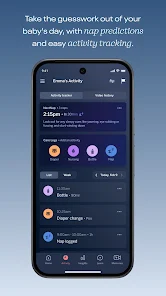
Another notable feature is the breathing motion monitoring, which alerts parents if it detects any irregularities in the baby's breathing. The Nanit also comes with a nightlight and white noise machine, creating a soothing environment for the baby. Additionally, the app provides a timeline of sleep events, making it easy for parents to track changes over time. With its two-way audio feature, parents can communicate with their baby, providing comfort without needing to enter the room.
Overall, Nanit combines innovative technology with user-friendly design, making it an essential tool for modern parenting.
Using the Nanit baby monitor is straightforward and user-friendly. First, you need to set up the camera by mounting it securely above your baby's crib, ensuring it has a clear view of the sleeping area. Once the camera is in place, download the Nanit app on your smartphone and create an account. The app will guide you through the setup process, including connecting the camera to your Wi-Fi network.
After the initial setup, you can customize the settings according to your preferences. The app allows you to enable features like sleep tracking, breathing motion monitoring, and notifications. You can also adjust the camera's angle and zoom in on your baby for a closer view. Once everything is set up, you can monitor your baby in real-time, receive alerts, and access sleep insights directly from your smartphone, making it easy to stay connected with your little one.
Regularly check for app updates to ensure you have the latest features and improvements, enhancing your overall experience with the Nanit monitor.
The Nanit app offers several advantages that make it a popular choice among parents. One of the primary benefits is its comprehensive sleep tracking feature, which provides detailed insights into a baby's sleep patterns. This data can help parents identify trends and make informed decisions to improve their child's sleep quality. The high-definition video streaming and two-way audio capabilities also allow for easy monitoring and communication with the baby, even from a distance.
However, there are some drawbacks to consider. The Nanit system can be relatively expensive compared to traditional baby monitors, which may not be feasible for all families. Additionally, the reliance on Wi-Fi means that any connectivity issues could disrupt monitoring. Some users have reported occasional glitches in the app, which can be frustrating during critical moments. Overall, while the Nanit app provides valuable features for modern parenting, potential users should weigh the pros and cons before making a decision.
In conclusion, the Nanit app is a powerful tool for parents, but it's essential to consider both its benefits and limitations.

 #N/A
#N/A 
 #N/A
#N/A Spotify Wrapped is an annual feature that summarizes your listening habits, including your most-played songs and artists of the year.
To create a playlist, click "Your Library," then "Playlists," and select "Create Playlist." Add songs by searching or browsing.
Yes, with a Spotify Premium subscription, you can download songs and playlists for offline listening.
Spotify offers a free tier with ads, as well as a Premium subscription that removes ads and adds features.
Click the three dots next to the song, select "Share," and choose your preferred sharing method, like social media or a link.













 Google Play
  App Store