
Version: 5.11.0
Developer: Chegg, Inc.
 Verified App

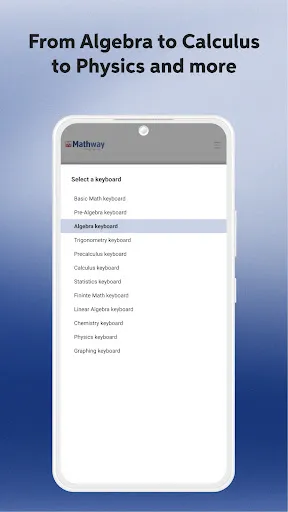




"Mathway: Scan & Solve Problems" is a versatile application designed to assist users in tackling a wide range of mathematical problems. One of its standout features is the ability to scan handwritten or printed math problems using the device's camera, making it incredibly user-friendly. The app supports various mathematical disciplines, including algebra, geometry, calculus, and statistics, providing step-by-step solutions that help users understand the underlying concepts.
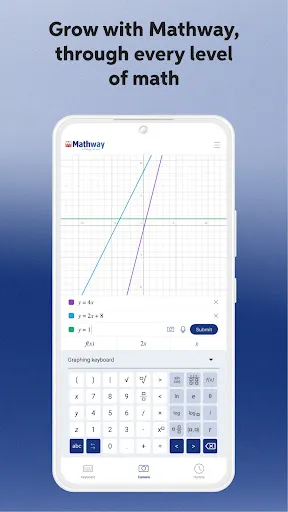
Another notable feature is the interactive graphing tool, which allows users to visualize equations and functions. This is particularly beneficial for students who are learning about graphing and need to see how changes in equations affect their graphs. Additionally, Mathway offers a user-friendly interface that simplifies navigation, making it accessible for users of all ages. The app also provides instant answers, which is ideal for quick homework help or study sessions. Overall, Mathway combines convenience and educational value, making it a valuable tool for anyone looking to enhance their math skills.
Using "Mathway: Scan & Solve Problems" is straightforward and intuitive. To get started, users need to download the app from their device's app store and create an account. Once installed, users can either type in their math problem or utilize the scanning feature. To scan, simply point the device's camera at the problem, ensuring that it is well-lit and clearly visible. The app will automatically recognize the problem and provide a solution.
After receiving the solution, users can explore the step-by-step breakdown to understand how the answer was derived. This feature is particularly useful for students who want to learn the process behind solving similar problems. Additionally, users can save their favorite problems or solutions for future reference, making it easier to revisit challenging concepts. Overall, Mathway is designed to be user-friendly, ensuring that anyone can effectively utilize its features to improve their math skills.
Like any application, "Mathway: Scan & Solve Problems" has its advantages and disadvantages. One of the primary pros is its extensive range of mathematical topics, which caters to users from various educational backgrounds. The scanning feature is particularly beneficial for those who may struggle with typing out complex equations. Additionally, the step-by-step solutions provide valuable insights, helping users learn and understand math concepts more effectively.
However, there are some cons to consider. While the app offers a free version, many of its advanced features require a subscription, which may not be feasible for all users. Some users have also reported occasional inaccuracies in the scanning feature, particularly with more complex problems. Furthermore, reliance on the app for solutions may hinder the development of problem-solving skills if users do not engage with the material actively. Overall, while Mathway is a powerful tool for learning math, users should balance its use with traditional study methods to maximize their understanding.

 #N/A
#N/A 
 #N/A
#N/A  Google Play
  App Store
 Spotify Wrapped is an annual feature that summarizes your listening habits, including your most-played songs and artists of the year.
To create a playlist, click "Your Library," then "Playlists," and select "Create Playlist." Add songs by searching or browsing.
Yes, with a Spotify Premium subscription, you can download songs and playlists for offline listening.
Spotify offers a free tier with ads, as well as a Premium subscription that removes ads and adds features.
Click the three dots next to the song, select "Share," and choose your preferred sharing method, like social media or a link.