
 Home
Home  Apps
Apps  Games
Games  Windows
  Topics
  About Us
  Cookies & Privacy Policy
  Terms of Service
Magic Photo Editor:Foto Repair


Advertisement
Information
- Category: Photo
- Price: free
- Age Rating: /
- Rating: 3.7
- Developer: Zachary Holt
- Version: 1.7.3
Advertisement
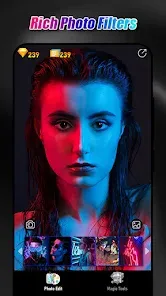
Magic Photo Editor: Foto Repair is your go-to app for transforming and restoring your photos with ease. Whether you want to enhance your images, fix imperfections, or add creative effects, this user-friendly tool offers a range of powerful features. With intuitive controls and advanced editing options, you can bring your memories back to life and create stunning visuals in just a few taps. Unleash your creativity and elevate your photography with Magic Photo Editor!
Features of "Magic Photo Editor: Foto Repair"
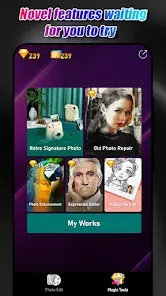
"Magic Photo Editor: Foto Repair" is a versatile application designed to enhance and restore photos with ease. One of its standout features is the advanced photo repair tool, which allows users to fix damaged or old photographs by removing scratches, blemishes, and other imperfections. The app also offers a variety of filters and effects, enabling users to apply artistic touches to their images, transforming ordinary photos into stunning visuals.
Additionally, the app includes a user-friendly interface that makes navigation simple, even for those who may not be tech-savvy. Users can easily crop, resize, and adjust brightness and contrast to achieve the desired look. Another notable feature is the ability to add text and stickers, allowing for personalized touches to photos. The app supports various file formats, ensuring compatibility with most images. Overall, "Magic Photo Editor: Foto Repair" combines powerful editing tools with an intuitive design, making it a go-to choice for photo enthusiasts.
How to Use "Magic Photo Editor: Foto Repair"
Using "Magic Photo Editor: Foto Repair" is straightforward and user-friendly. To get started, download and install the app from your device's app store. Once installed, open the application and select the photo you wish to edit from your gallery. The app will present you with a range of editing tools and options to enhance your image.
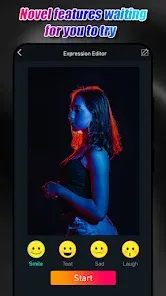
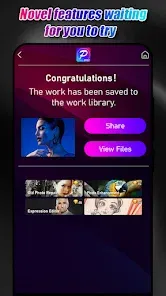
Begin by utilizing the photo repair feature to address any imperfections in your image. Simply select the area you want to fix, and the app will automatically apply corrections. Next, explore the various filters and effects available to add a creative flair to your photo. You can also adjust the brightness, contrast, and saturation to achieve the perfect look. If desired, add text or stickers to personalize your image further. Once you are satisfied with your edits, save the final version to your gallery or share it directly on social media platforms. The intuitive design ensures that even beginners can navigate the editing process with ease.
Pros & Cons of the App
Like any application, "Magic Photo Editor: Foto Repair" has its advantages and disadvantages. One of the primary pros is its powerful photo repair capabilities, which can significantly enhance the quality of old or damaged images. The variety of filters and effects allows users to unleash their creativity, making it suitable for both casual users and photography enthusiasts. Additionally, the app's user-friendly interface makes it accessible to individuals with varying levels of technical expertise.
However, there are some cons to consider. Some users may find that certain advanced features are limited in the free version, requiring a purchase for full access. Additionally, while the app performs well for basic edits, it may not offer the same depth of functionality as more professional editing software. Lastly, occasional bugs or crashes can occur, which may disrupt the editing experience. Overall, while "Magic Photo Editor: Foto Repair" is a solid choice for photo enhancement, users should weigh these pros and cons based on their specific needs.
Advertisement
Check All Versions  Google Play
  App Store
Google Play App Store Advertisement
Similar Apps






Top Apps

Lucky Patcher
Tools
4.5

Cocomelon
Parenting
4.5

Angry Birds
Games
4.8

SHAREit: Transfer, Share Files
Tools
4.3

PlutoTV: Live TV & Free Movies
Entertainment
3.7

Green Dot - Mobile Banking
Finance
3.6

Doxcy
Tools
4.9

Telegram
Social
4.3

Fox News - Daily Breaking News
News & Magazines
3.2

UC Browser-Safe, Fast, Private
Communication
4.4

CashApp
Finance
4.3

Hangouts
Communication
4.8
Advertisement