
Version: 10.145.2
Developer: Evernote Corporation
 Verified App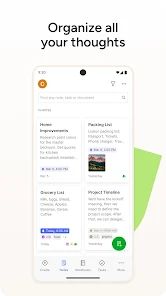
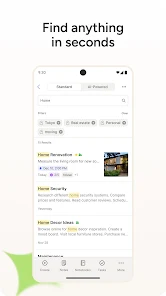
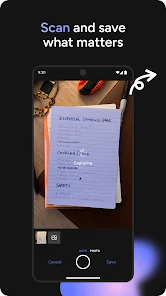
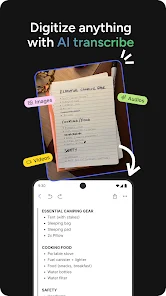

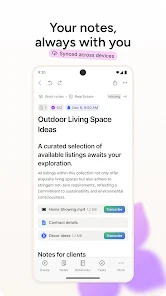
Evernote is a versatile note-taking application designed to help users organize their thoughts, tasks, and projects efficiently. One of its standout features is the ability to create notes in various formats, including text, images, audio recordings, and web clippings. This flexibility allows users to capture information in the way that suits them best.
Another key feature is the robust tagging and notebook system, which enables users to categorize their notes for easy retrieval. Users can create multiple notebooks for different projects or topics and use tags to further refine their organization. Additionally, Evernote offers powerful search capabilities, allowing users to find notes quickly, even if they contain handwritten text or images.
Collaboration is made easy with Evernote, as users can share notes and notebooks with others, making it ideal for team projects. The app also supports cross-platform synchronization, ensuring that notes are accessible on various devices, including smartphones, tablets, and computers. With features like reminders, templates, and integration with other apps, Evernote serves as a comprehensive tool for personal and professional organization.
Using Evernote is straightforward and user-friendly, making it accessible for individuals of all skill levels. To get started, download the app from your device's app store and create an account. Once logged in, you can begin creating notes by clicking the "New Note" button. You can type text, attach files, or even record audio directly within the note.
To organize your notes, create notebooks by selecting the "Notebooks" option and categorizing your notes based on projects or themes. You can also add tags to your notes for easier searching later. To enhance your productivity, set reminders for important tasks or deadlines within your notes.
For collaboration, share your notes or notebooks with others by clicking the "Share" button and entering their email addresses. This feature is particularly useful for team projects or group studies. Finally, take advantage of Evernote's web clipper tool to save articles or web pages directly into your notes, ensuring you have all the information you need in one place.
Evernote offers numerous advantages that make it a popular choice among note-taking applications. One of its primary benefits is its versatility; users can create notes in various formats, including text, images, and audio, catering to different preferences. The powerful search functionality is another significant advantage, allowing users to find information quickly, even within handwritten notes. Additionally, the app's organizational features, such as notebooks and tags, help users maintain a structured approach to their notes.
However, Evernote is not without its drawbacks. One notable con is that the free version has limitations on the number of devices that can sync and the amount of data that can be uploaded monthly. Some users may find the premium subscription costly compared to other note-taking apps. Furthermore, while the app is feature-rich, the abundance of options can be overwhelming for new users, leading to a steeper learning curve. Lastly, occasional syncing issues have been reported, which can be frustrating for users relying on real-time access to their notes.

 #N/A
#N/A 
 #N/A
#N/A Spotify Wrapped is an annual feature that summarizes your listening habits, including your most-played songs and artists of the year.
To create a playlist, click "Your Library," then "Playlists," and select "Create Playlist." Add songs by searching or browsing.
Yes, with a Spotify Premium subscription, you can download songs and playlists for offline listening.
Spotify offers a free tier with ads, as well as a Premium subscription that removes ads and adds features.
Click the three dots next to the song, select "Share," and choose your preferred sharing method, like social media or a link.













 Google Play
  App Store